What Is a CMS and Does Your Business Actually Need One?
Learn what a CMS is and whether your business actually needs one

Introduction
If your website is only a few pages and rarely changes, managing it may feel simple. You update a service page once in a while, add a new image when needed, and move on.
But as a business grows, content gets harder to manage. You may have blog posts, landing pages, product pages, customer stories, images, videos, campaign pages, internal documents, and approval steps. Suddenly, a simple website update turns into a chain of emails, shared folders, developer requests, and version confusion.
That is where a CMS comes in.
A CMS, or content management system, helps businesses create, organize, edit, approve, and publish digital content without needing to rebuild pages manually every time something changes. For many companies, it becomes the central place where content work happens.
Still, not every business needs a full CMS. Some teams need one badly. Others may be fine with a simpler website builder or static site setup. The real question is not whether a CMS is useful. The real question is whether your business has reached the point where a CMS will save time, reduce mistakes, and support growth.
This guide breaks that down in plain language.
What Is a CMS?
A CMS is software that lets people create, manage, store, edit, and publish digital content. Most businesses use a CMS to manage website pages, blog posts, images, videos, files, product content, landing pages, and other online materials.
The biggest advantage is that a CMS separates content work from heavy technical work. Instead of asking a developer to change every headline, upload every image, or publish every blog post, a marketer, editor, or business user can make updates through a dashboard.
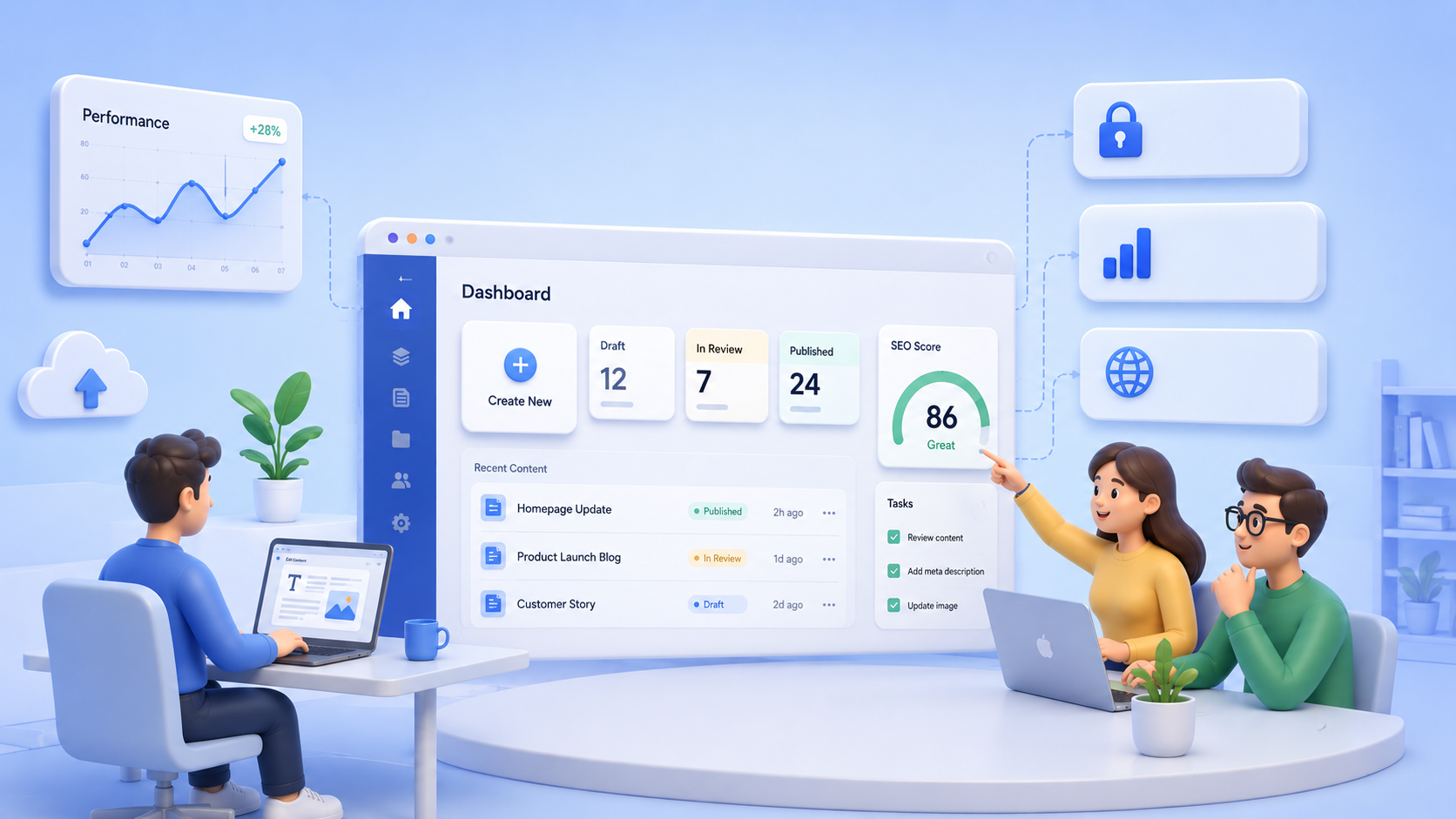
For example, a content manager might log in, edit a page, upload a new image, add SEO details, send the page for approval, and publish it once it is ready. The CMS handles the structure behind the scenes.
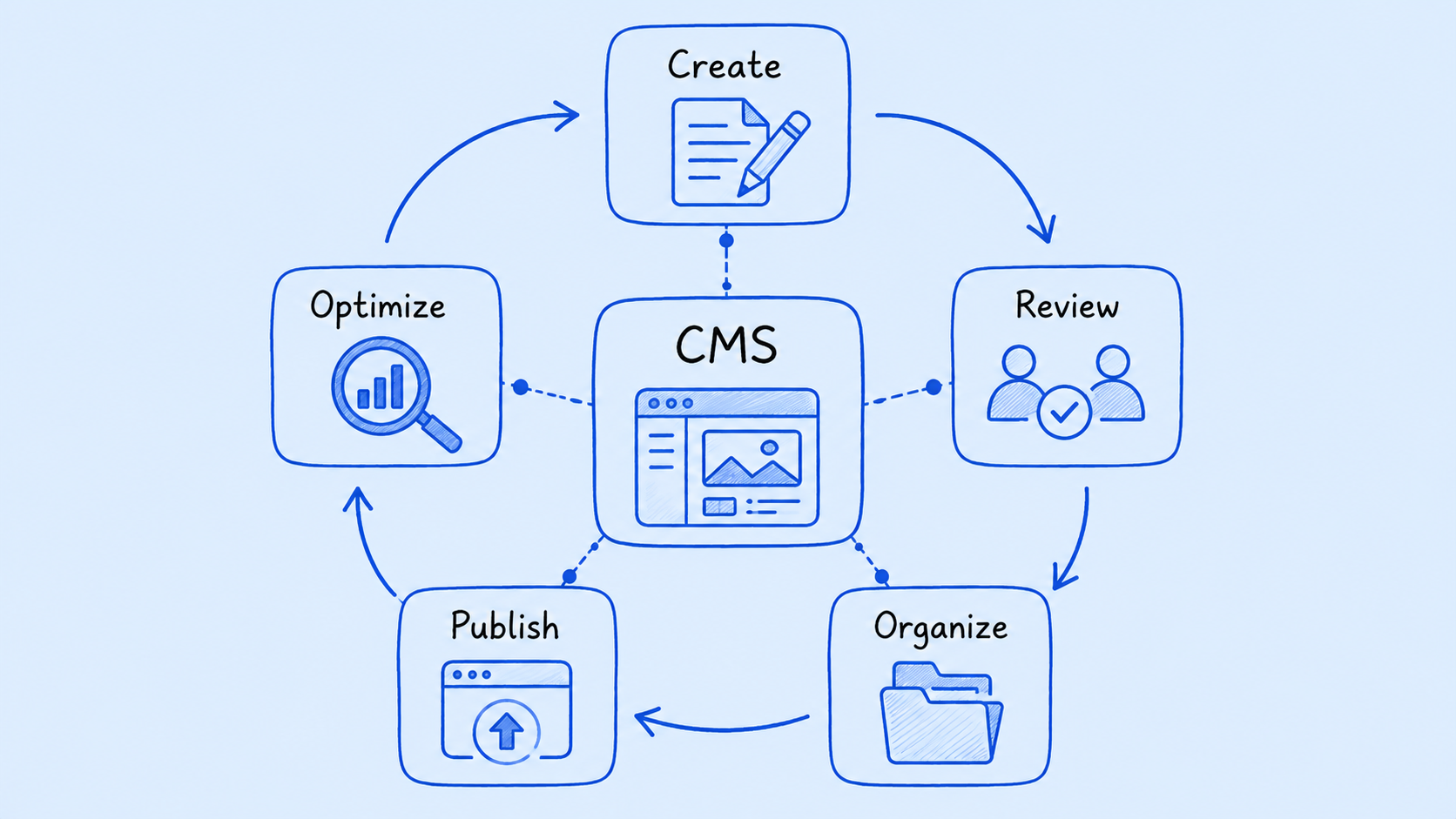
A CMS is usually used by several types of people:
- Marketers who create campaign pages and update website copy
- Editors who review and approve content
- Administrators who manage users, permissions, and settings
- Developers who build templates, integrations, and custom features
- Ecommerce teams who manage product content and promotions
- Content managers who organize assets and publishing schedules
In simple terms, a CMS gives your business a proper workspace for digital content.
Why Businesses Use a CMS
Businesses usually start looking for a CMS when content becomes too important or too frequent to manage casually. A CMS helps bring order to that process.
Faster Content Creation and Publishing
Without a CMS, even a small update can take longer than it should. Someone writes the copy, someone emails it to a developer, another person reviews it, a file gets attached, and by the time the update goes live, the opportunity may have passed.
A CMS makes publishing faster. Nontechnical users can edit pages, create posts, update product content, and launch landing pages without waiting for development help every time.
That does not mean developers are no longer needed. It means developers can focus on bigger work instead of routine text and image updates.
Better Collaboration and Workflow
As soon as more than one person touches content, workflow matters.
A CMS can give different people different roles. A writer may create a draft. An editor may review it. A manager may approve it. An administrator may control who can publish. This keeps the process cleaner and reduces the risk of accidental changes.
Good CMS workflows help answer questions like:
- Who created this page?
- Who reviewed it?
- Is this the latest version?
- Who has permission to publish?
- What still needs approval?
For growing teams, this structure can prevent a lot of confusion.
Centralized Content and Digital Asset Management
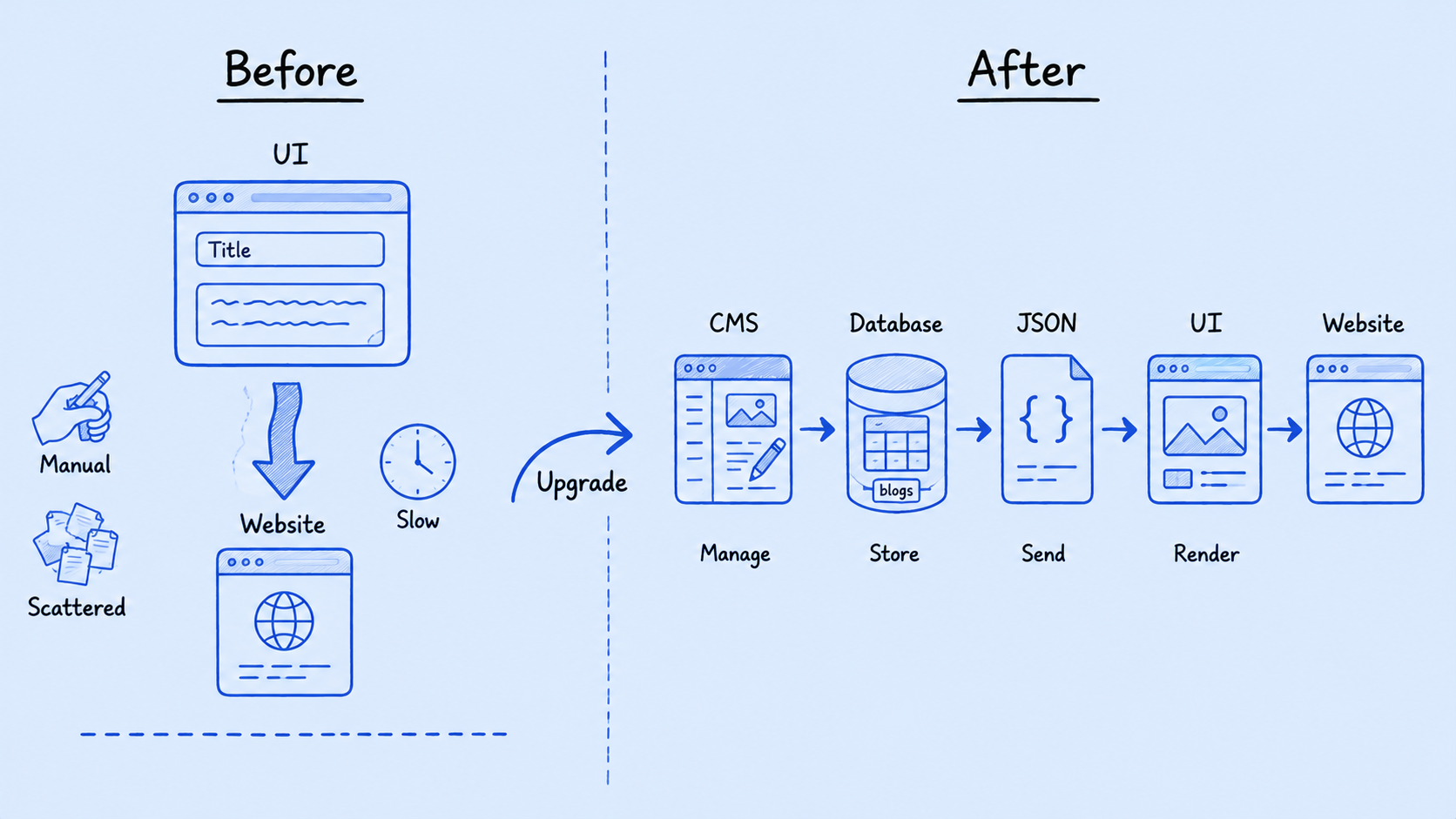
Many businesses store content across too many places. Copy may live in Google Docs. Images may sit in shared drives. Videos may be stored in a separate folder. Product information may be in spreadsheets. Website updates may be tracked in email threads.
A CMS helps bring those assets into one organized system. Teams can manage pages, files, images, documents, and media in a central place. This makes it easier to find content, reuse it, update it, and keep it consistent.
Stronger Brand Consistency
When many people create content, brand consistency can slip. Different teams may use different wording, outdated images, old product descriptions, or inconsistent page layouts.
A CMS helps keep things aligned through templates, reusable blocks, approval workflows, and content rules. This is especially useful for businesses with multiple departments, locations, regions, brands, or digital channels.
Instead of every team building content in a different way, the CMS gives them a shared structure.
SEO and Content Optimization
A CMS can also support search engine optimization. Depending on the platform, it may let you manage page titles, meta descriptions, alt text, URL structures, internal links, XML sitemaps, structured data, and content performance.
Some CMS platforms also include analytics, A/B testing, and personalization tools. These features help teams understand what content is working and what needs improvement.
Of course, a CMS does not guarantee good SEO by itself. You still need useful content, keyword research, technical performance, and a clear strategy. But the right CMS makes SEO work easier to manage.
Scalability and Omnichannel Delivery
A basic website may only need a few pages. A growing business may need product pages, blogs, landing pages, resource centers, customer portals, ecommerce content, multilingual pages, and app content.
Modern CMS platforms can support content across many channels, including websites, mobile apps, e-commerce platforms, intranets, portals, and other digital experiences.
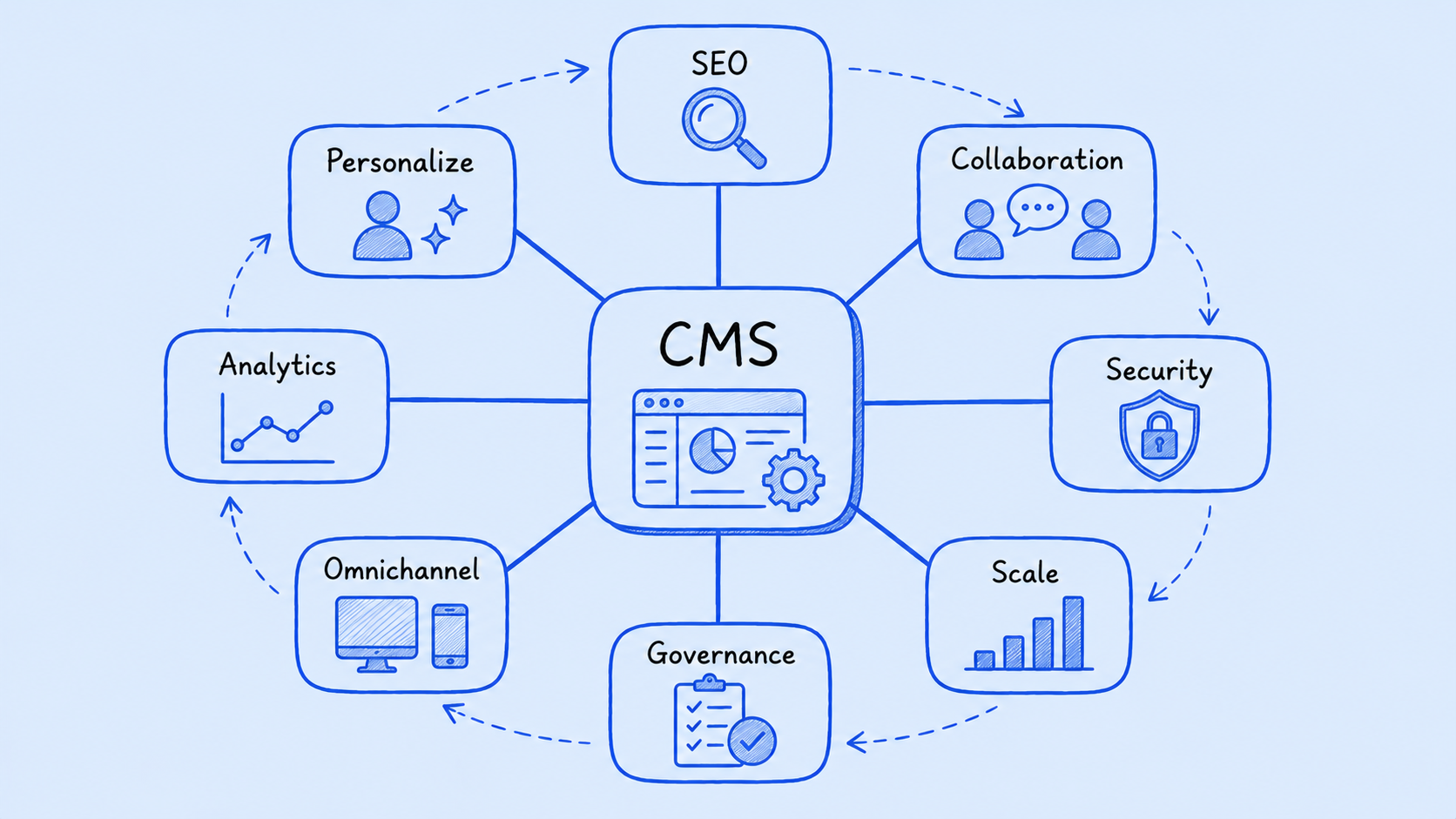
This is where a CMS becomes more than a publishing tool. It becomes part of your digital growth strategy.
When Your Business Probably Needs a CMS
A CMS becomes useful when content starts becoming hard to manage manually.
You probably need a CMS if your business:
- Updates website content frequently
- Has multiple people creating, editing, or approving content
- Publishes blogs, landing pages, campaigns, or product updates regularly
- Manages many images, videos, files, or documents
- Needs SEO tools or content optimization features
- Has more than one website, language, region, or digital channel
- Wants marketers to publish content without asking developers every time
- Needs role-based permissions or approval workflows
- Plans to scale its digital presence over time
A good rule of thumb is this: if content updates are slowing your team down, creating mistakes, or causing too much back and forth, a CMS is worth serious consideration.
When a CMS May Not Be Necessary
A CMS is helpful, but it is not always required.
A full CMS may be unnecessary if your business has a small website that rarely changes. For example, if you only have a homepage, about page, contact page, and a few service pages, you may not need a complex content system.
You may not need a full CMS if your business:
- Has a small static website
- Rarely updates content
- Does not have a content or marketing team
- Does not need approval workflows
- Does not manage many media assets
- Does not need personalization, integrations, or multilingual content
- Has a very limited budget and simple publishing needs
In that case, a lightweight website builder or static site may be enough.
The goal is not to buy the most powerful CMS. The goal is to choose the right level of content management for your actual needs.
Key CMS Features to Look For
Not every CMS is built for the same type of business. Some are simple and easy to use. Others are designed for large companies with complex workflows, integrations, and global content needs.
Here are the main features to look at before choosing one.
Ease of Use
A CMS should make content work easier, not harder. If your team needs weeks of training just to update a page, adoption will suffer.
Look for a clean editing experience, structured metadata fields, page preview, simple media upload, and clear publishing controls such as save draft and publish.

Workflow and Permissions
Permissions are important when multiple people use the same system. You may not want every user to publish live content or edit critical pages.
A good CMS should let organization admins assign permissions by role, so each person only sees and can perform the blog actions their role allows, such as create, read, update, or publish. It should also support approval workflows, version control, and clear publishing rules.

SEO Tools
At a basic level, your CMS should allow you to manage page titles, meta descriptions, headings, image alt text, URLs, redirects, and internal links.
For more advanced teams, structured data, XML sitemap control, performance tools, and content analytics may also matter.
Digital Asset Management
If your business uses many images, videos, PDFs, product files, or marketing assets, the CMS should make them easy to organize.
Look for folders, tags, metadata, search, versioning, and reusable media assets.
Security
Security is not optional. A CMS should support secure logins, role-based access, regular updates, permissions, backups, and protection from common threats.
If your CMS uses plugins or extensions, make sure they are maintained. Outdated plugins can create security risks.
Integrations
Your CMS may need to connect with other business systems. Common integrations include:
- CRM platforms
- Ecommerce systems
- Analytics tools
- Marketing automation software
- Digital asset management tools
- Personalization platforms
- Product information systems
The more connected your digital operations are, the more important integrations become.
Scalability
Your CMS should fit your business now and support where you are heading next. Think about future pages, users, languages, regions, content types, and channels.
A CMS that works today but cannot grow with you may become expensive to replace later.
Analytics, Personalization, and AI
Advanced CMS platforms may include analytics, A/B testing, customer segmentation, personalization, AI tagging, content recommendations, and automated optimization.
These features can be valuable, especially for ecommerce, enterprise marketing, and high-volume content teams. But they should match a real business need. Do not pay for advanced features your team will not use.
Types of CMS Platforms
There are several types of CMS platforms. Understanding the differences can help you avoid choosing a system that is too simple or too complex.
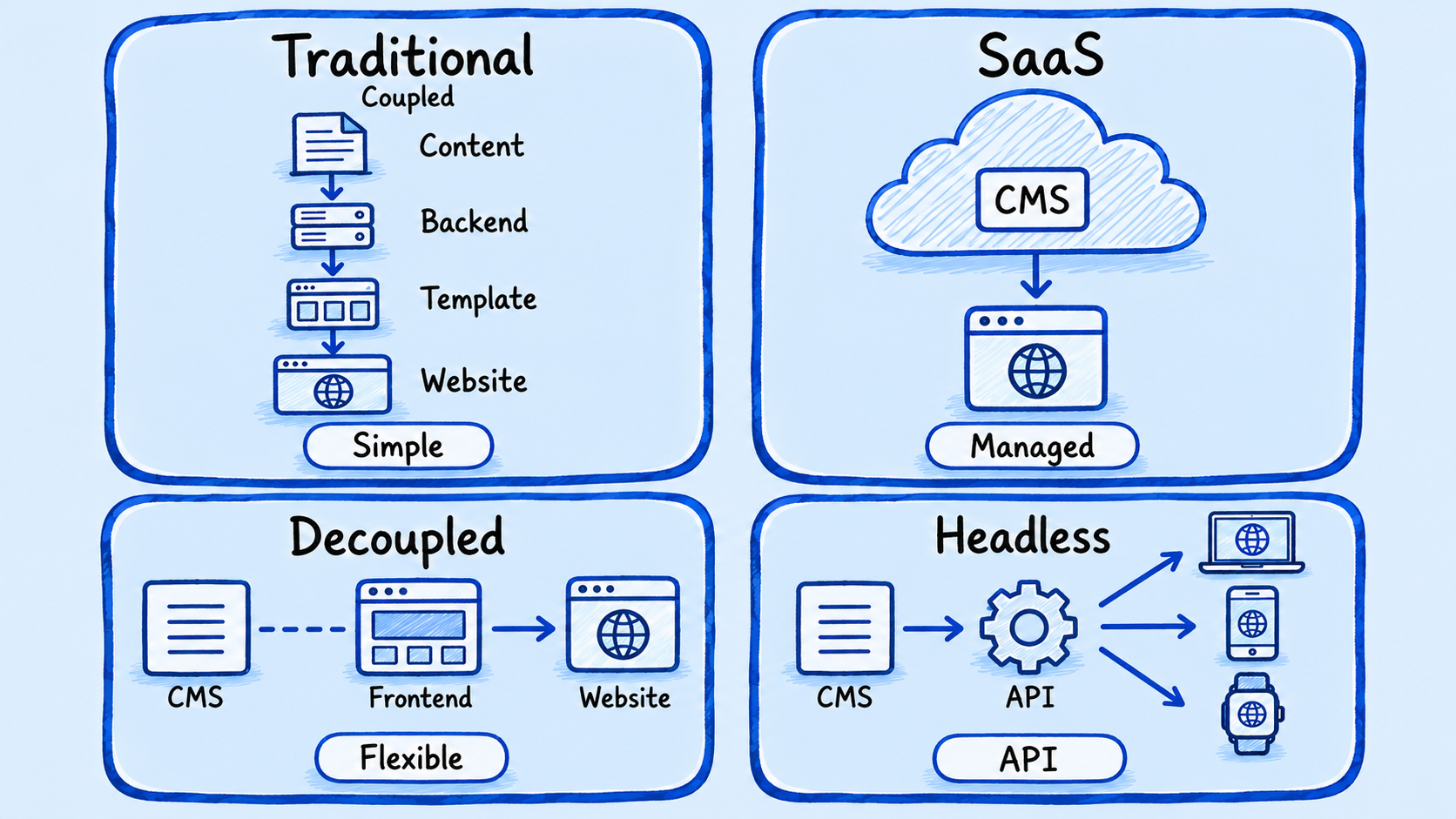
Traditional or Coupled CMS
A traditional CMS connects the back end, where content is managed, with the front end, where content is displayed.
This type is often easier for basic websites because everything is handled in one system. It can be a good fit for small to mid-sized marketing websites, blogs, and standard business sites.
The tradeoff is flexibility. Traditional systems may not be ideal if you need to publish the same content across websites, apps, kiosks, e-commerce experiences, and other channels.
SaaS CMS
A SaaS CMS is hosted and managed in the cloud by the vendor. This usually means less server setup, fewer hosting responsibilities, and faster access for teams.
It can be a good option for businesses that want a managed platform and do not want to handle technical infrastructure.
The limitation is that you may have less control over customization, hosting, or platform rules depending on the vendor.
Decoupled CMS
A decoupled CMS separates content management from the front-end presentation layer. Content is managed in the CMS, while developers have more control over how it appears on the website or app.
This gives businesses more flexibility than a traditional CMS while still keeping some structure.
It is useful when content teams need a familiar editing experience, but developers need freedom to build custom digital experiences.
Headless CMS
A headless CMS manages content in the back end and delivers it through APIs to different front ends. This makes it useful for omnichannel content delivery.
A headless CMS can send content to websites, apps, ecommerce platforms, smart displays, portals, and other channels.
The tradeoff is technical complexity. Headless CMS projects usually need stronger developer involvement and careful planning.
Common CMS Risks and Challenges
A CMS can solve many problems, but it can also create new ones if chosen or managed poorly.
Choosing the Wrong Platform
The wrong CMS can slow your team down, limit growth, increase costs, or make integrations difficult. This often happens when businesses choose based on popularity instead of actual needs.
Overengineering
Some businesses choose an enterprise-level CMS when a simpler tool would work fine. This can lead to unnecessary cost, training, and complexity.
A bigger CMS is not always a better CMS.
Weak Governance
Without clear rules, a CMS can become messy. Pages may go outdated. Images may be duplicated. Users may publish inconsistent content. Tags and folders may become confusing.
Governance should define who owns content, who approves it, how content is organized, and when old content should be reviewed or removed.
Security Risks
Poor permissions, weak passwords, outdated plugins, and missed updates can create vulnerabilities. Security needs to be part of the CMS plan from the beginning.
Migration and Implementation Costs
Moving to a CMS takes work. You may need to clean up old content, migrate pages, rebuild templates, train users, connect integrations, and set up workflows.
This does not mean a CMS is a bad investment. It means the project needs realistic planning.
Vendor Lock-In
Once your content models, workflows, templates, and integrations are built around one CMS, switching later can be difficult. Before choosing a platform, think about long-term flexibility.
How to Choose the Right CMS
Choosing a CMS should start with your business needs, not a feature list.
Step 1: Define Your Content Goals
Start with the basics:
- What content do you publish?
- How often do you update it?
- Who creates and approves it?
- What channels need content?
- What problems are you trying to solve?
This keeps the decision focused on real needs.
Step 2: Map Your Team and Workflow
List who will use the CMS and what they need to do. Writers, editors, marketers, developers, managers, and administrators may all have different requirements.
Then define the approval process. A CMS is much easier to set up when your workflow is clear.
Step 3: Separate Must-Have Features From Nice-to-Have Features
It is easy to get distracted by advanced features. Focus first on what your business truly needs.
Must-have features might include editing, media management, SEO fields, permissions, approval workflows, and reliable hosting.
Nice-to-have features might include AI recommendations, advanced personalization, A/B testing, or complex omnichannel delivery.
Step 4: Consider Your Technical Capacity
Be honest about your team’s skills. A headless CMS may be powerful, but it may not be the right choice if you do not have the development resources to manage it.
A simpler CMS that your team actually uses well is often better than a complex CMS that no one understands.
Step 5: Estimate Total Cost of Ownership
Do not only look at the monthly or yearly software cost. Also consider:
- Setup and implementation
- Hosting
- Design and development
- Content migration
- Training
- Maintenance
- Security
- Integrations
- Support
- Future scaling
A CMS that looks cheap up front may become expensive later if it requires heavy customization or frequent fixes.
Step 6: Test Before Full Rollout
Before moving everything into a CMS, run a small pilot. Let real users create content, edit pages, upload media, test approvals, and publish sample content.
This will show whether the CMS works for your team in practice, not just in a sales demo.
CMS Use Cases by Business Type
Different businesses need a CMS for different reasons.
Small Businesses
Small businesses may use a CMS for simple website updates, blog posts, image changes, SEO basics, and service page edits. Ease of use and affordability usually matter most.
Growing Businesses
Growing businesses often need multiple contributors, campaign landing pages, product updates, approval workflows, and better content organization.
Ecommerce Businesses
E-commerce teams may use a CMS to manage product content, promotions, category pages, buying guides, campaign pages, and personalized shopping experiences.
Enterprises
Enterprises usually need global websites, multilingual content, complex approval workflows, personalization, analytics, and integrations with CRM, ecommerce, DAM, and marketing automation tools.
Government and Nonprofits
Government agencies and nonprofits may need secure publishing, accessibility, public information pages, internal resources, department-level permissions, and content approval processes.
Final Decision: Does Your Business Actually Need a CMS?
You probably need a CMS if content is becoming hard to manage manually. If multiple people are involved, updates are frequent, assets are scattered, approvals are unclear, or your digital presence is growing, a CMS can make your work much easier.
You may not need a full CMS if your website is small, static, rarely updated, and does not require collaboration, SEO tools, personalization, or integrations.
The best decision comes down to fit. Your CMS should match your content needs, team structure, technical resources, budget, and growth plans.
Do not choose a CMS just because it is popular. Choose it because it solves a real business problem.
Conclusion
A CMS can help businesses manage content faster, more securely, and more consistently. It can improve collaboration, reduce developer dependency, support SEO, organize digital assets, and prepare your business for future growth.
But a CMS is not a magic fix. It still needs planning, governance, training, maintenance, and the right platform choice.
For a small business with a simple website, a lightweight solution may be enough. For a growing business with frequent updates, multiple contributors, SEO goals, and expanding digital channels, a CMS can become one of the most useful tools in the organization.
Before choosing a CMS, audit your current content process. Look at how often you publish, who is involved, where bottlenecks happen, and what your website needs to support next.
If content is already slowing your team down, it may be time to choose a CMS that fits the way your business actually works.
Featured Posts
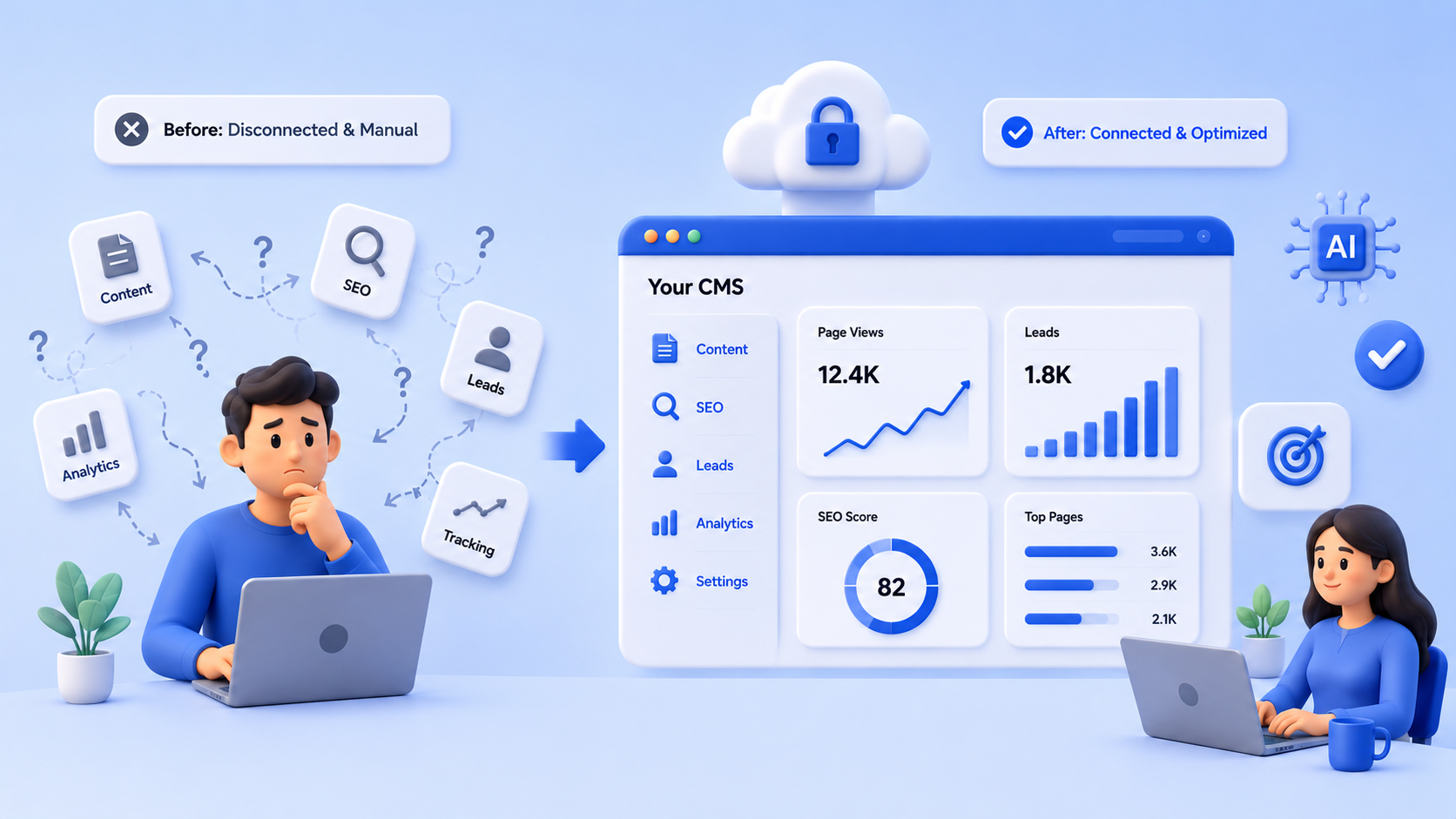
Best CMS for Small Business Websites in 2026
Find the best CMS for small business websites in 2026. Compare what matters for SEO, content, lead generation, and scalability so you can choose a platform that supports real growth, not just publishing.
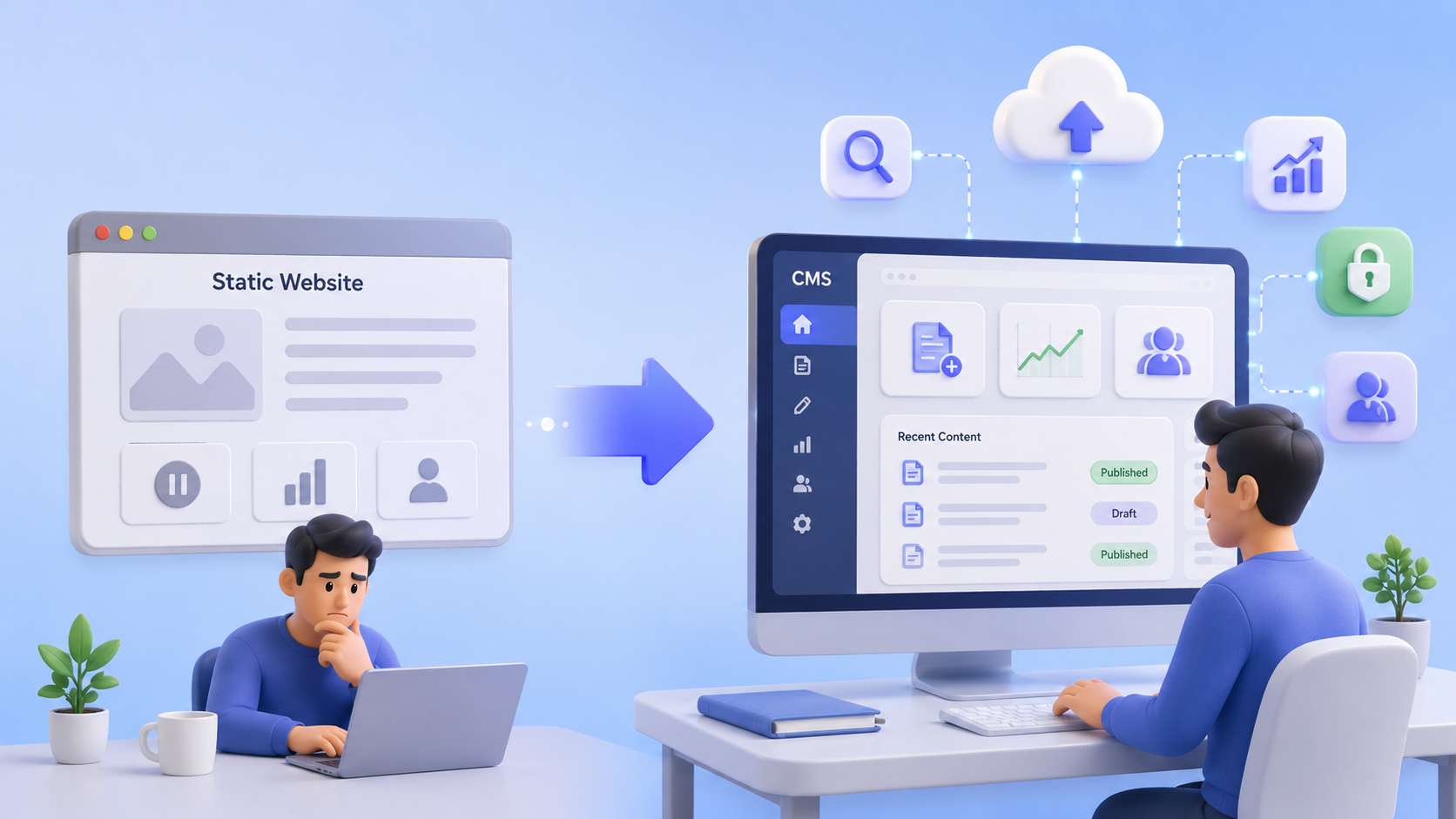
CMS vs Static Website and What Growing Service Businesses Should Choose
Compare CMS vs static websites for growing service businesses. Learn when a simple site is enough, when it limits SEO and leads, and how to choose the right setup for long-term growth.

CMS vs Website Builder and Which Is Better for Business Growth?
Compare CMS vs website builder options to see which is better for business growth, SEO performance, content scalability, and lead generation.