How to Choose a CMS for SEO, Content, and Lead Generation
Choosing the right CMS based on SEO impact, content scalability, and business growth outcomes

Introduction
Choosing a CMS today is no longer just a technical decision. It directly impacts how your website performs in search, how efficiently your team creates content, and how effectively you convert visitors into leads.
Many businesses invest heavily in building websites, yet struggle with low traffic, inconsistent content publishing, and poor lead generation. In most cases, the issue is not marketing strategy alone but the foundation they are built on.
A content management system is not just a tool to manage pages. It acts as the backbone of your digital presence, influencing SEO performance, content scalability, and conversion workflows.
One of the most common mistakes businesses make is choosing a CMS based on features, popularity, or short term convenience, rather than evaluating how it supports long-term growth.
If you are currently comparing CMS platforms or planning a new website, the right question is not which CMS is best, but which CMS aligns with your business goals.
In this guide, we will break down how a CMS impacts SEO, content, and lead generation, and provide a structured way to help you choose the right platform based on your needs.
What a CMS Actually Impacts
A content management system influences far more than how you publish pages. It directly affects how your website performs in search, how efficiently your team produces content, and how effectively you convert visitors into leads.
Understanding these impacts is essential before evaluating or comparing CMS platforms, as it shifts the focus from features to business outcomes.
CMS Impact on SEO Performance
A content management system plays a direct role in how search engines discover, understand, and rank your website. From page load speed to metadata control, many critical SEO elements are controlled at the CMS level.
If your CMS does not allow easy control over title tags, meta descriptions, and structured data, optimizing pages for search becomes difficult. In addition, slow-loading pages caused by inefficient CMS architecture can negatively impact rankings and user experience.
Key areas influenced by CMS in SEO include:
- Page speed and Core Web Vitals
- Metadata control and structured data
- URL structure and indexing
- Sitemap generation and crawlability
target keyword search result where the blog appears at the top.

CMS Impact on Content Operations
A CMS determines how efficiently your team can create, manage, and scale content. It affects publishing speed, collaboration, and consistency across all pages.
If your CMS requires developer involvement for routine updates, content production slows down. In contrast, a flexible CMS with structured content and reusable components enables teams to scale content without compromising quality.
Key areas influenced by CMS in content operations include:
- Publishing workflow and speed
- Content scalability
- Team collaboration
- Structured and reusable content blocks
CMS Impact on Lead Generation
A CMS also plays a critical role in converting visitors into leads. It determines how easily you can build landing pages, integrate forms, and track user behavior.
If your CMS lacks integration with analytics tools or CRM systems, it becomes difficult to measure performance and optimize conversions. A well structured CMS allows you to create conversion focused pages and continuously improve your lead generation strategy.
Key areas influenced by CMS in lead generation include:
- Form creation and integrations
- Call to action placement
- Funnel creation capability
- User behavior tracking
- CRM and analytics integration
A CMS is not just a content tool. It directly influences how your website ranks, how your team works, and how your business generates revenue.
Key Factors to Consider When Choosing a CMS
Once you understand how a CMS impacts SEO, content operations, and lead generation, the next step is to evaluate platforms based on the factors that directly influence these outcomes.
Instead of focusing on feature lists or popularity, a better approach is to assess how well a CMS enables execution, scalability, and long term growth.
SEO Capabilities
When evaluating a CMS, SEO capabilities should be a primary consideration. A platform that makes it difficult to control metadata, manage redirects, or generate sitemaps can slow down your ability to optimize content for search engines.
An effective CMS should allow teams to manage SEO elements such as title tags, meta descriptions, structured data, and URL settings without relying on developers for every update.
Key areas to evaluate include:
- Metadata control and structured data support
- Sitemap and robots.txt management
- Redirect management
- Internal linking support
Performance and Speed
Website performance directly affects both search rankings and user experience. A slow CMS can result in poor Core Web Vitals, higher bounce rates, and lower engagement.
A good CMS should support fast content delivery, optimized assets, and efficient architecture to ensure consistent performance across devices.
Key areas to evaluate include:
- Block based editor capabilities
- Content modeling
- Reusable components
- Support for multiple content types and pages
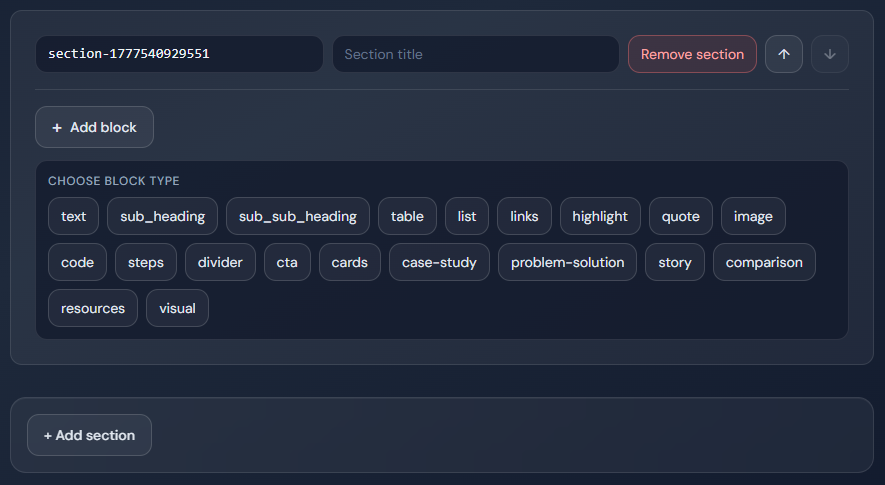
Showing modular block options and section-level structure controls.
Ease of Use
A CMS should be accessible to non technical users. If content teams depend heavily on developers for basic updates, it creates delays and reduces productivity.
An intuitive interface and streamlined publishing workflow allow teams to operate efficiently and maintain consistency in content delivery.
Key areas to evaluate include:
- Non technical usability
- Editor experience
- Publishing workflow efficiency
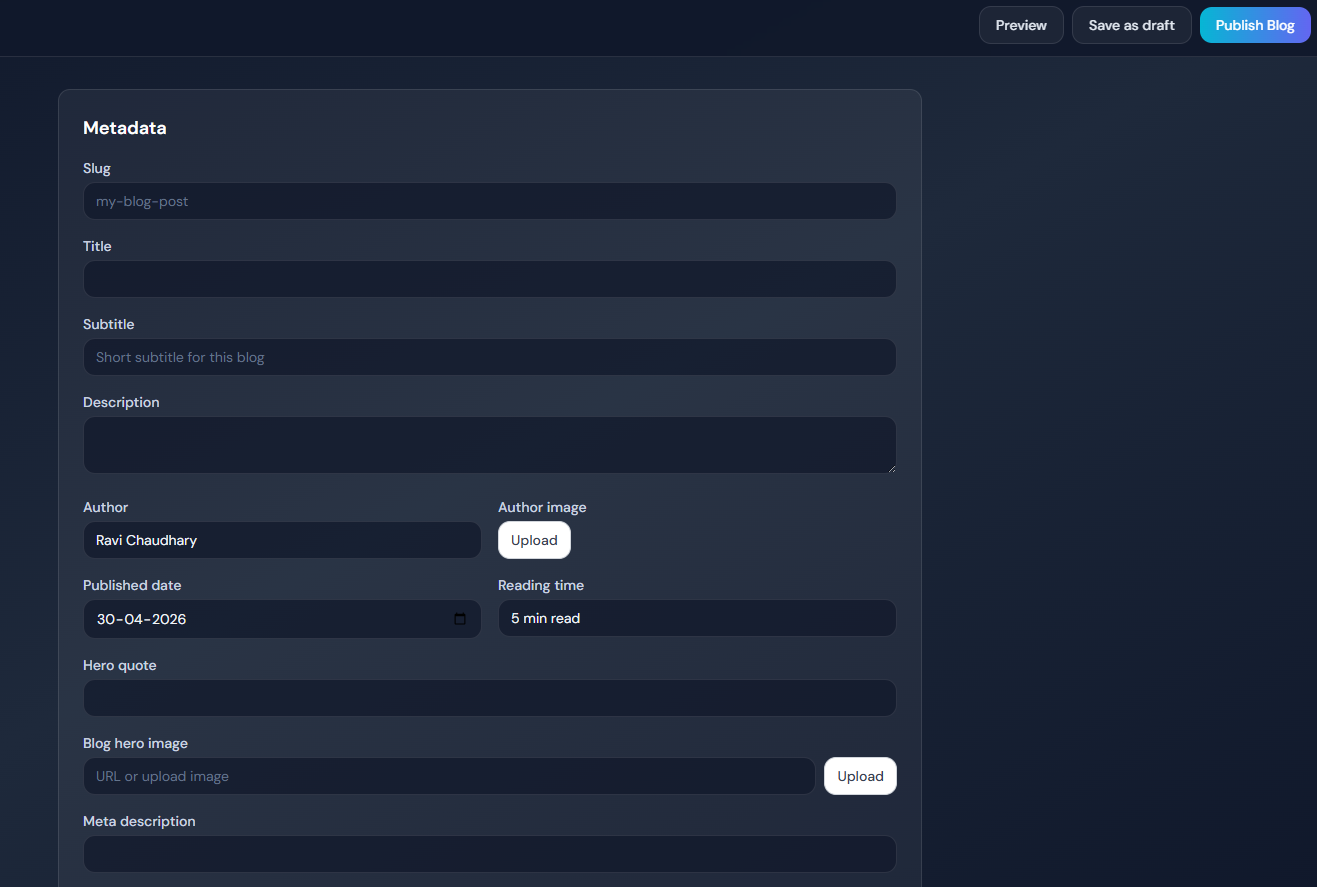
the blog editor interface highlighting user-friendly metadata and publishing controls.
Integration Capabilities
Modern websites rely on multiple tools for analytics, marketing, and customer management. A CMS should integrate seamlessly with these systems to provide a unified workflow.
Without proper integration, tracking performance and optimizing campaigns becomes difficult.
Key areas to evaluate include:
- Analytics integration
- CRM integration
- Marketing automation tools
Scalability and Future Readiness
Your CMS should support long term growth. As your business expands, you may need to manage multiple websites, target different regions, or integrate new technologies.
A scalable CMS ensures that you do not need to rebuild your system as your requirements evolve.
Key areas to evaluate include:
- Multi language support
- Multi site capability
- API first architecture
- Ability to scale with business growth
The right CMS is not the one with the most features, but the one that supports your ability to execute, scale, and grow efficiently.
Types of CMS and When to Choose Them
Not all content management systems are built the same. Each type of CMS is designed to solve different problems depending on your business requirements, technical capabilities, and growth plans.
Instead of trying to find a single best CMS, it is more effective to understand the core approaches and identify which one aligns with how you plan to build, manage, and scale your website.
Traditional CMS
A traditional CMS combines content management and presentation into a single system. This means the backend and frontend are tightly connected, making it easier to set up and manage for simple use cases.
This approach works well for websites that do not require high flexibility or advanced integrations. It allows teams to quickly publish content without dealing with complex architecture.
However, as requirements grow, traditional CMS platforms can become limiting in terms of performance, scalability, and multi-channel delivery.
Best suited for:
- Small business websites
- Blogs and content-focused sites
- Projects with simple requirements
Headless CMS
A headless CMS separates content management from the frontend, delivering content through APIs to different platforms. This allows developers to build fast and flexible frontends using modern technologies.
This approach provides greater control over performance, scalability, and how content is delivered across multiple channels such as web, mobile, and other platforms.
While it requires more technical expertise, it enables businesses to build highly optimized and future-ready systems.
Best suited for:
- High performance websites
- Multi-channel platforms
- Businesses planning to scale
- Teams with development resources
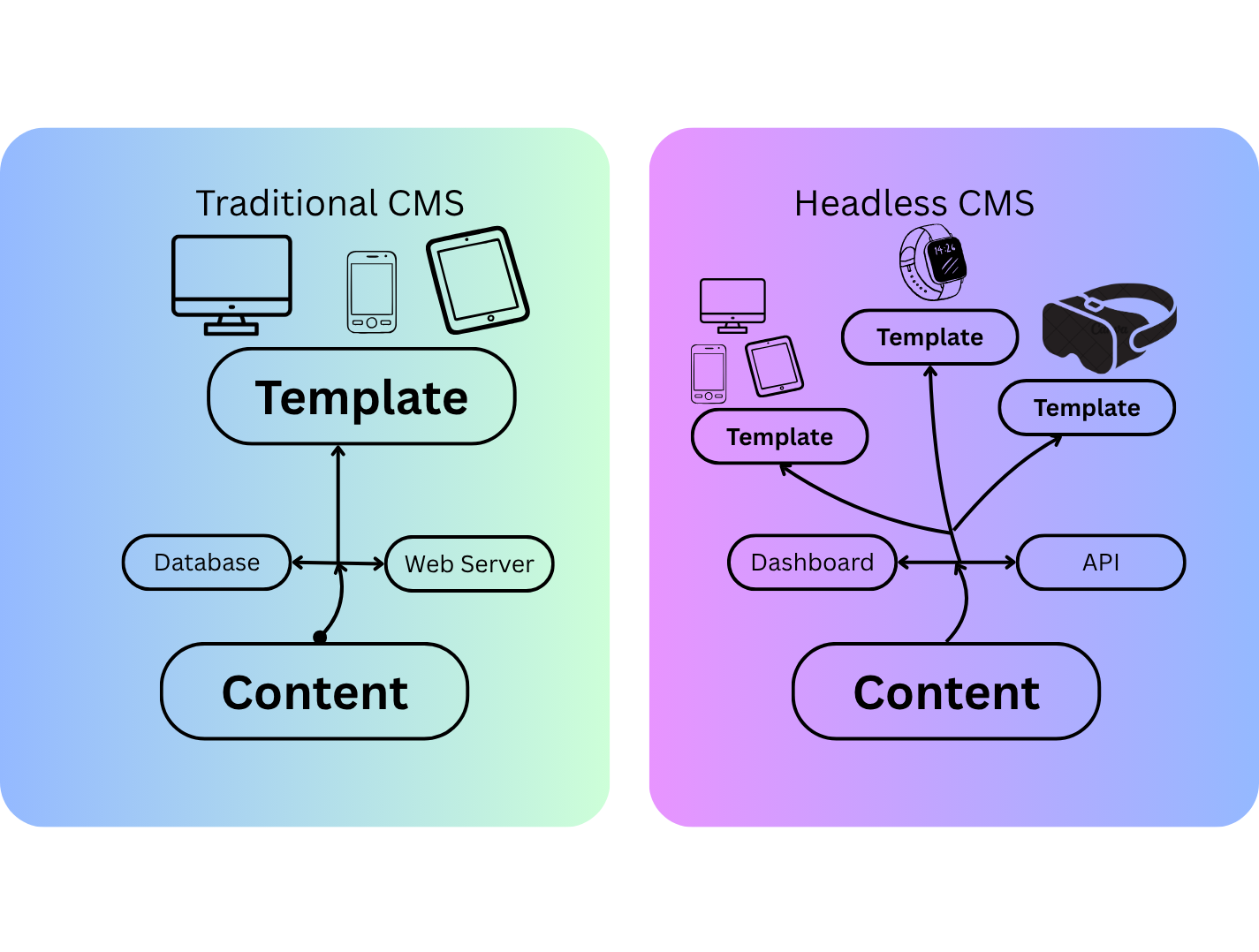
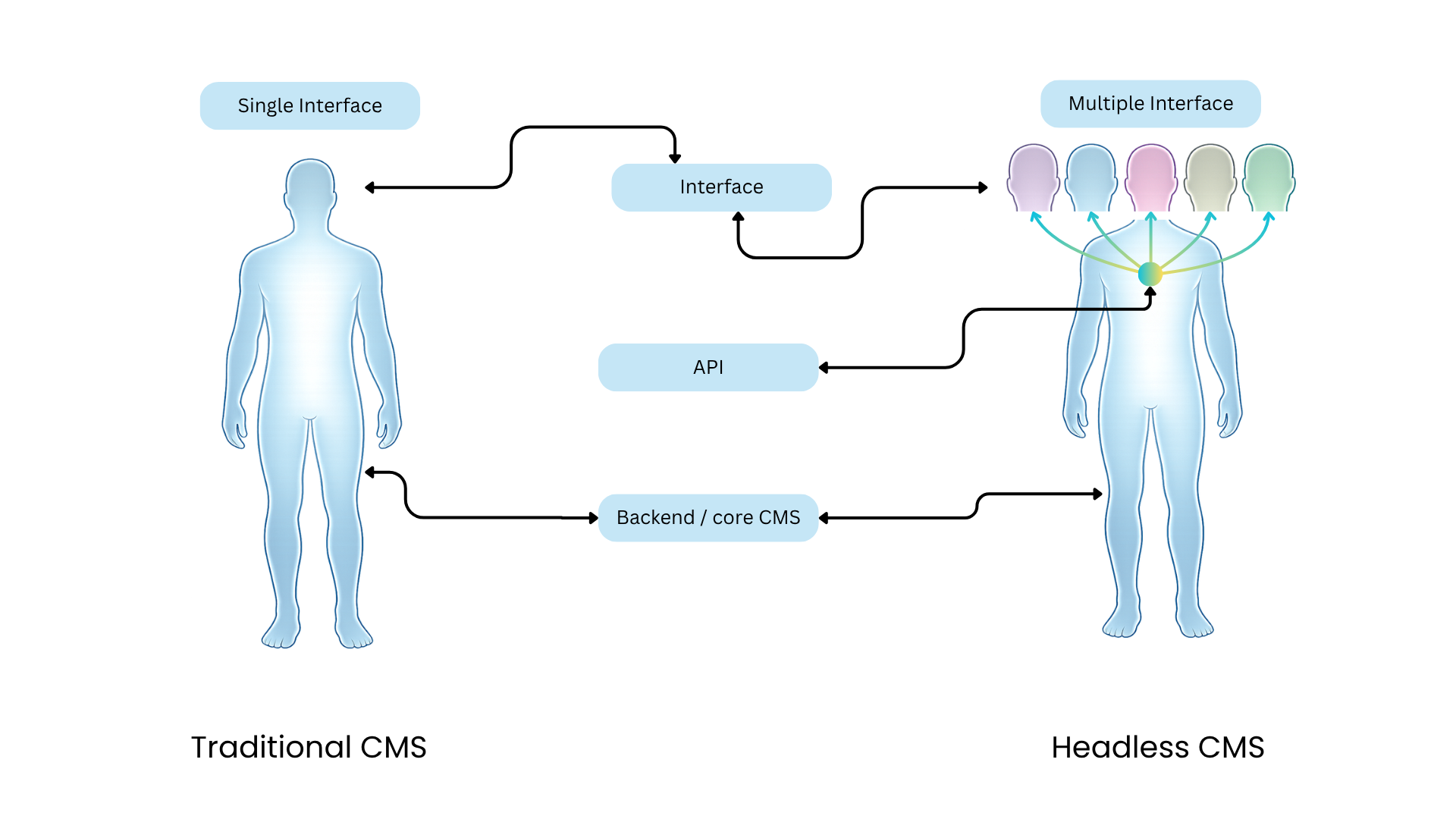
This visual compares content flow in traditional vs headless CMS: traditional CMS routes content through a tightly coupled database and web server into one shared template layer (single presentation path), while headless CMS separates content management in the dashboard/core backend and exposes it through APIs so the same content can power multiple templates and interfaces across desktop, mobile, tablet, wearables, and immersive devices.
Other CMS Approaches
In addition to traditional and headless architectures, there are other approaches that combine or simplify these models.
Hybrid CMS combines elements of both traditional and headless systems, offering flexibility while maintaining ease of use for content teams.
SaaS CMS is a cloud-based solution managed by a provider, allowing businesses to set up and manage websites without handling infrastructure or maintenance.
These approaches can be useful depending on your needs, but the core decision usually comes down to choosing between a traditional or headless approach.
The right CMS type depends on your business stage, technical capabilities, and long term growth plans rather than just immediate requirements.
Choosing CMS Based on Your Business Stage
The right CMS is not the same for every business. Your requirements change depending on your stage, team capabilities, and growth goals.
Instead of choosing the most advanced or popular solution, it is more effective to select a CMS that aligns with where your business is today and where you plan to go next.
New or Early-Stage Business
For early-stage businesses, the priority should be getting online quickly and managing content without complexity. A CMS that is easy to use and requires minimal technical involvement allows teams to focus on building their presence and validating ideas.
At this stage, over-investing in complex architecture can slow down progress and increase costs unnecessarily.
Best suited focus:
- Simplicity and ease of use
- Fast setup and deployment
- Minimal technical dependency
Growing Business
As businesses grow, content and SEO become more important. A CMS should support structured content, faster publishing workflows, and better optimization capabilities.
At this stage, the goal is to scale content production while improving search visibility and maintaining consistency across pages.
Best suited focus:
- SEO capabilities and optimization
- Content scalability
- Efficient publishing workflows
Performance-Focused Business
For performance-focused businesses, the CMS becomes a critical part of the growth system. It should support fast performance, seamless integrations with analytics and CRM tools, and the ability to build conversion-focused experiences.
At this stage, the focus shifts from publishing content to optimizing user journeys and maximizing lead generation.
Best suited focus:
- High performance and speed
- Integration with analytics and CRM tools
- Lead generation and conversion optimization
- Scalability for long-term growth
The best CMS is not the most advanced one, but the one that matches your current stage and supports your next phase of growth.
Common Mistakes When Choosing a CMS
Choosing a CMS is a long-term decision, but many businesses make it based on short term thinking or incomplete understanding. These mistakes can lead to poor performance, limited scalability, and costly migrations later.
Understanding these common mistakes can help you make a more informed and future ready decision.
Choosing Based on Popularity Instead of Fit
One of the most common mistakes is selecting a CMS based on popularity or recommendations without evaluating whether it fits your specific requirements.
A platform that works well for one business may not align with another’s goals, especially when factors like scalability, performance, and integrations differ.
Ignoring SEO Capabilities
Many businesses overlook SEO capabilities during CMS selection, assuming it can be managed later. However, limitations in metadata control, URL structure, or performance can significantly affect search visibility.
Fixing these issues after implementation is often difficult and time-consuming.
Not Planning for Scalability
Choosing a CMS that only fits current requirements can create challenges as your business grows. As content volume increases and new features are required, a limited system can slow down progress.
Planning for scalability early helps avoid future migration and redevelopment costs.
Over Reliance on Plugins
Relying heavily on plugins to extend functionality can lead to performance issues, compatibility conflicts, and security risks.
A better approach is to choose a CMS that provides essential capabilities natively rather than depending on multiple third party extensions.
Ignoring Content Structure
Many teams focus on content creation without defining a clear structure. This leads to inconsistencies, difficulty in scaling, and challenges in maintaining quality across pages.
A well structured CMS allows you to create reusable components and maintain consistency.
Avoiding these mistakes can save time, reduce costs, and ensure your CMS supports long term growth instead of limiting it.
CMS Evaluation Checklist
Choosing the right CMS can feel complex, especially when multiple factors are involved. A practical way to simplify this process is to use a structured checklist.
You can use the following checklist to evaluate your current CMS or compare different platforms based on what matters most for SEO, content, and lead generation.
SEO Checklist
- Can you easily edit title tags and meta descriptions?
- Does it support structured data?
- Can it generate and manage sitemaps?
- Does it allow clean and customizable URL structures?
Performance Checklist
- Does the CMS support fast page loading?
- Is CDN support available?
- Are images optimized efficiently?
- Does it help achieve good Core Web Vitals?
Content Checklist
- Can non technical users create and manage content easily?
- Does it support reusable content blocks?
- Is content structured and scalable?
- Is the publishing workflow smooth and efficient?
Integration Checklist
- Can it integrate with analytics tools?
- Does it support CRM integration?
- Can you track user behavior effectively?
- Does it connect with marketing automation tools?
Scalability Checklist
- Can it support multiple websites?
- Does it support multiple languages?
- Can it scale with increasing traffic?
- Does it support future integrations and upgrades?
If most of your answers are no, your current CMS may be limiting your ability to scale and grow effectively.
A good CMS should make these capabilities easy to manage rather than dependent on complex workarounds.
Real-World Scenario
Understanding concepts is important, but seeing how they apply in a real situation makes the decision clearer. The following example illustrates how the choice of CMS can directly impact SEO performance, content operations, and lead generation.
Before
Many businesses start with a CMS that works initially but becomes limiting over time. Pages may load slowly, content updates require technical support, and SEO improvements are difficult to implement.
As a result, even with consistent effort, search visibility remains low, user engagement is limited, and lead generation is inconsistent.
What Changed
After moving to a more suitable CMS, the website structure becomes more organized, performance improves, and SEO elements become easier to manage.
Content teams are able to publish faster without relying on developers, and optimization efforts become more consistent across pages.
Results
With these improvements, search visibility increases, user engagement improves, and lead generation becomes more predictable.
The CMS now supports growth instead of limiting it.
The right CMS does not just improve your website, it improves how your entire digital system performs.
How CMS Connects SEO, Content, and Lead Generation
SEO, content, and lead generation are often treated as separate activities. In reality, they are closely connected, and the CMS plays a central role in bringing them together.
A well chosen CMS allows these elements to work as a unified system rather than isolated efforts.
SEO Drives Traffic
SEO is responsible for bringing users to your website through search engines. However, the effectiveness of SEO depends on how easily you can implement optimization strategies within your CMS.
If your CMS supports fast performance, clean structure, and proper metadata control, it becomes easier to improve search visibility and attract relevant traffic.
Content Engages Users
Once users land on your website, content plays a key role in engaging them. The quality, structure, and consistency of your content determine whether users stay, explore further, or leave.
A flexible CMS enables better content organization, faster publishing, and consistent formatting, all of which contribute to a better user experience.
Lead Generation Converts Users
The final step is converting visitors into leads. This depends on how effectively you can guide users toward actions such as filling out forms or requesting information.
A CMS that supports integration with analytics and CRM tools allows you to track user behavior, optimize conversion paths, and improve lead generation over time.
Connecting the System
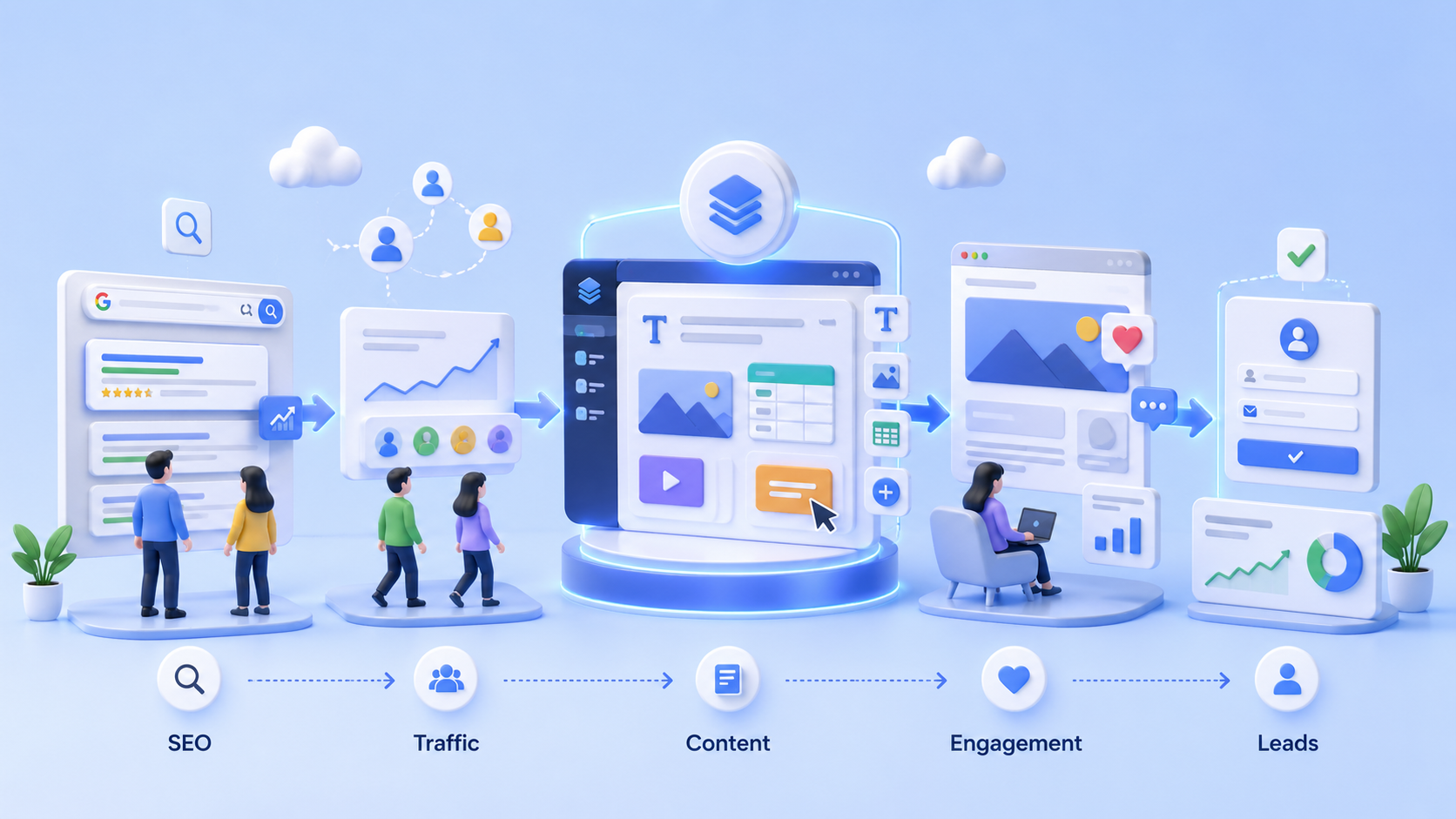
These elements form a continuous system where SEO brings users, content keeps them engaged, and lead generation converts them into potential customers.
SEO → Traffic → Content → Engagement → Leads → Revenue
The CMS acts as the foundation that enables all three to work together efficiently.
When these elements are aligned, your CMS becomes more than a content tool. It becomes a system that supports consistent and measurable growth.
Conclusion
Choosing the right CMS is not just about managing content. It directly influences how your website performs in search, how efficiently your team operates, and how effectively you generate leads.
There is no single CMS that works for every business. The right choice depends on your goals, technical capabilities, and current stage of growth.
Instead of focusing on features alone, it is more important to evaluate how a CMS supports execution, scalability, and long term outcomes.
A well chosen CMS should simplify workflows, improve performance, and enable consistent results over time.
When selected carefully, a CMS becomes more than a platform. It becomes a foundation for sustainable digital growth.
Next Steps
If you are currently comparing CMS platforms or planning to build a new website, taking the time to evaluate your options carefully can make a significant difference in long term results.
Using a structured approach like the checklist in this guide can help you identify the right direction. In many cases, discussing your requirements with experienced teams can also provide clarity on what will work best for your specific use case.
You can start by evaluating your current CMS against the factors discussed in this guide or by outlining your requirements before comparing different platforms.
If you are unsure about the best approach, seeking a second opinion can help you avoid costly mistakes and make a more confident decision.
The right decision at this stage can save time, reduce future costs, and set a strong foundation for growth.
Featured Posts
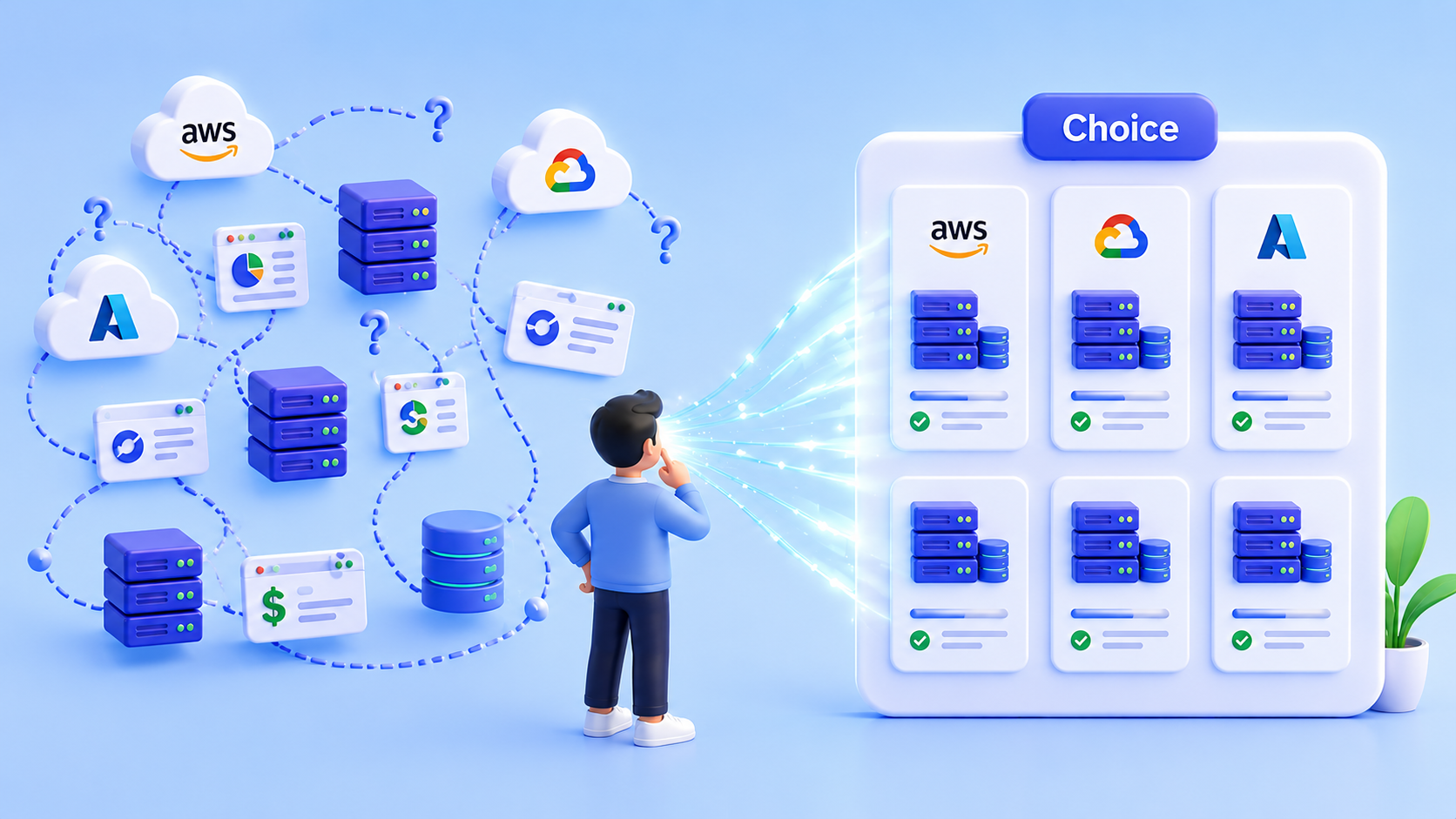
How to Choose the Right Cloud Server for Your Business
Building your digital brand presence? If server pricing and plans feel confusing, this guide will help you choose the right server for your needs and budget.

OWASP Top 10 Security Risks Explained (Real Examples + Fixes)
Learn the OWASP Top 10 security risks with real-world attack examples like SQL Injection, XSS, and CSRF. Discover how to protect your web application from data breaches.
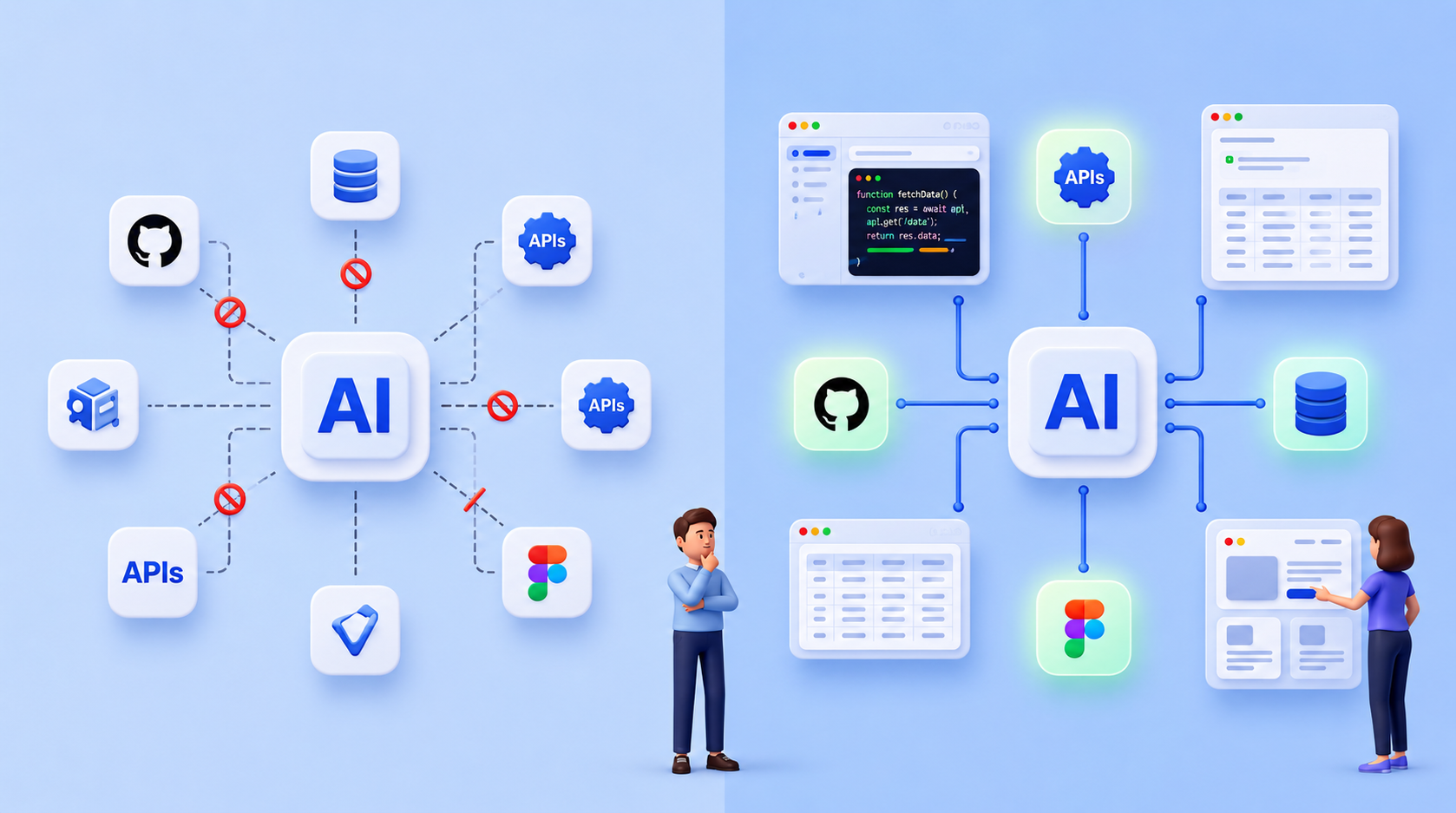
Model Context Protocol (MCP): Extending AI Beyond Its Training Data
Artificial Intelligence models are powerful, but they often struggle when tasks require real‑time data, external tools, or system access. This blog explains how the Model Context Protocol (MCP) solves that limitation by allowing AI systems to securely interact with external resources such as APIs, databases, and development tools. It also shares a practical real‑world experience showing how MCP helped reproduce a precise UI design directly from Figma.