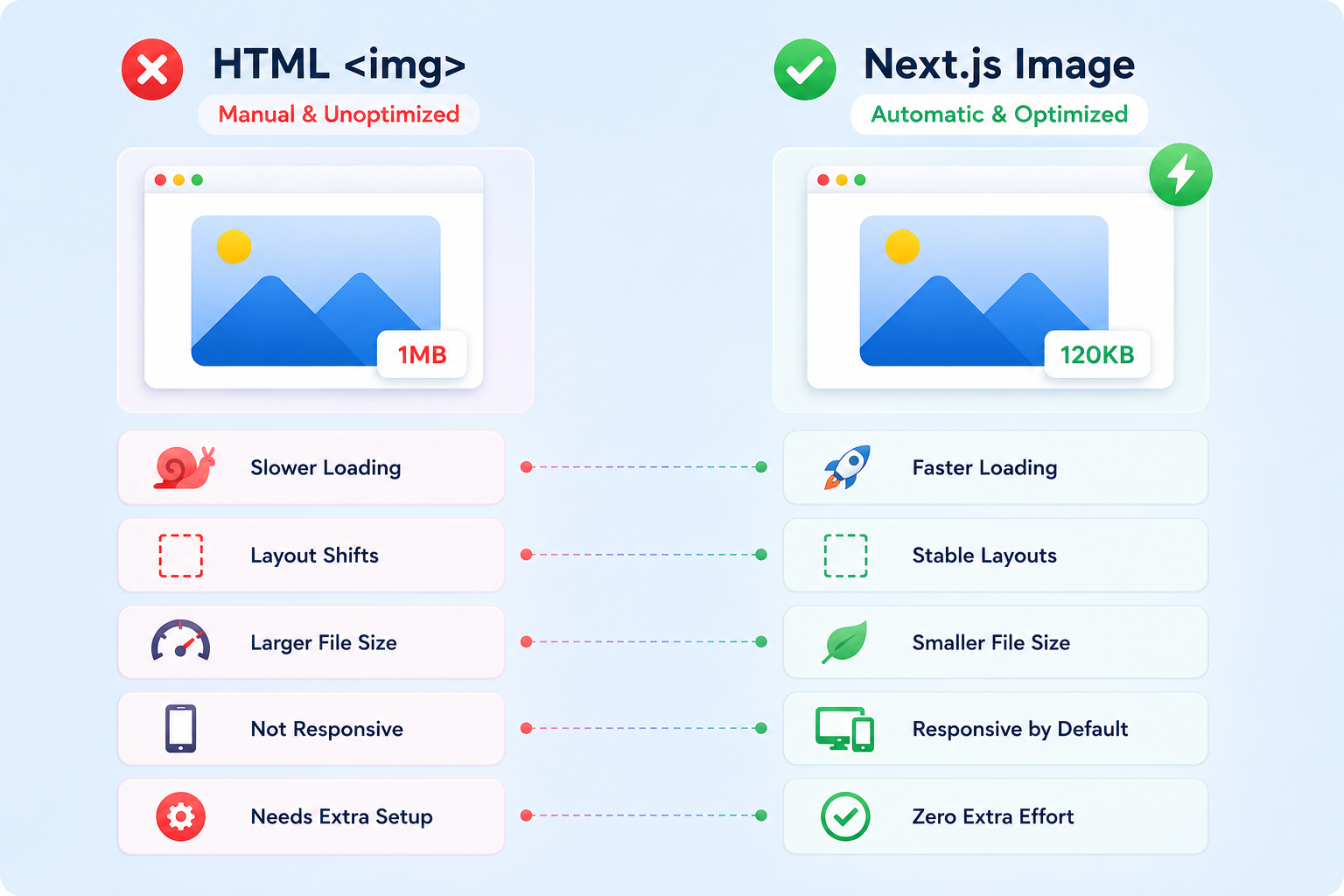

HTML img vs Next.js Image: A Practical Comparison

HTML img vs Next.js Image: A Practical Comparison

Image optimization is one of those topics most developers think they understand until a slow page, layout shift, or poor Core Web Vitals score forces them to look deeper.

Mayur Tank
Mayur Tank16 Jan, 2026 · 9 min read

Introduction

Image optimization is one of those topics most developers think they understand until a slow page, layout shift, or poor Core Web Vitals score forces them to look deeper.

I wrote this blog after actually using both the normal HTML img tag and the Next.js Image component in real projects, facing real problems: slow page loads, re-renders, layout shifts, and unnecessary bandwidth usage.

This is not a marketing comparison. It's a practical, experience-driven refinement of what changes when you move from plain HTML images to Next.js image optimization and where developers often misunderstand both.

What This Blog Is About

  • Why images silently impact performance, UX, and SEO
  • How I used both img and Next.js Image in production
  • What problems I faced with normal images
  • What Next.js actually solves and what it doesn't
  • Practical differences that matter beyond documentation

If you're building any modern website or product, images are not optional assets. They are performance-critical resources.


Why Images Matter More Than Most Developers Realize

Images are often the heaviest resources on a webpage.

When images are poorly handled:

  • Pages load slower
  • Layout shifts occur
  • User experience drops
  • SEO and Core Web Vitals suffer

The problem is not that developers ignore performance. It's that many don't realize images alone can cause most of the damage.

Better image handling directly improves:

  • First Contentful Paint (FCP)
  • Largest Contentful Paint (LCP)
  • Cumulative Layout Shift (CLS)
  • Overall SEO ranking

Normal HTML img Tag: Simple, Powerful, but Manual

The HTML img tag is simple and flexible. But simplicity comes with responsibility.

What You Get by Default

  • Direct control over source
  • Browser-native rendering
  • No framework dependency

What You Don't Get Automatically

  • Lazy loading (unless explicitly added)
  • Responsive resizing
  • Image format optimization
  • Layout stability guarantees

Every optimization must be manually implemented, and most projects stop halfway.

Next.js Image Component: Opinionated but Optimized

Next.js introduces Image not as a replacement for img, but as a performance-focused abstraction.

It makes strong assumptions in favor of:

  • Performance
  • Stability
  • SEO
  • Modern delivery formats

This opinionated approach removes many mistakes developers commonly make.

Key Differences That Actually Matter

Let's examine the practical differences between HTML img and Next.js Image component.

1. Lazy Loading

Lazy Loading Comparison

FeatureHTML imgNext.js Image
Lazy loading by default
Manual configuration required
Loads only when near viewportOnly if loading="lazy" added

Lazy loading is not just a feature. It's a performance strategy. Next.js enforces it.

2. Responsiveness

Responsiveness Comparison

FeatureHTML imgNext.js Image
Automatic responsive sizes
Manual CSS/Tailwind required
Serves device-appropriate resolution
Multiple breakpoint handlingManualAutomatic

This alone saves bandwidth and improves mobile experience.

3. Image Optimization & Delivery

Image Optimization Comparison

FeatureHTML imgNext.js Image
Automatic resizing
Image compression
Format conversion (WebP)
Device-specific file sizes

The same image becomes lighter without any extra effort.

4. Layout Stability (Visual Stability)

One of the biggest real-world problems I faced was layout shift.

Layout Stability Comparison

FeatureHTML imgNext.js Image
Requires width & heightOptional (often forgotten)Required (enforced)
Reserves space before load
Prevents layout shift (CLS)Only if dimensions provided
Fill option for containers

This is where Next.js genuinely improves perceived quality.

5. SEO & Accessibility

Regardless of framework, some rules remain universal:

  • Always add alt text
  • Use meaningful descriptions
  • Avoid decorative images without context

Next.js doesn't replace good practices, but it enforces discipline by design.

Important Reality Check (Where I Don't Fully Agree With the Hype)

Next.js Image is not magic.

  • It adds abstraction complexity
  • Requires configuration (next.config.js)
  • External images need domain whitelisting
  • Not always ideal for tiny icons or static assets

For simple cases, img is still valid and sometimes preferable.

The mistake is blind replacement without understanding tradeoffs.

When to Use What

Use HTML img when:

  • Images are static and small
  • You need minimal overhead
  • You control every optimization manually

Use Next.js Image when:

  • Performance matters
  • SEO matters
  • Layout stability matters
  • You want defaults that prevent mistakes

My Final Takeaway

Using img taught me how easy it is to get images wrong.

Using Next.js Image taught me how much performance and stability I was leaving on the table.

The biggest lesson:

"Image optimization is not optional. It's architectural."

Frameworks like Next.js don't just add features; they encode best practices into defaults.

Understanding why those defaults exist is what separates average frontend work from professional-grade systems.

If you care about user experience, SEO, and long-term maintainability, images deserve the same attention as APIs, databases, and caching strategies.

Share :